
Can multi-sensory experience take it one step further?
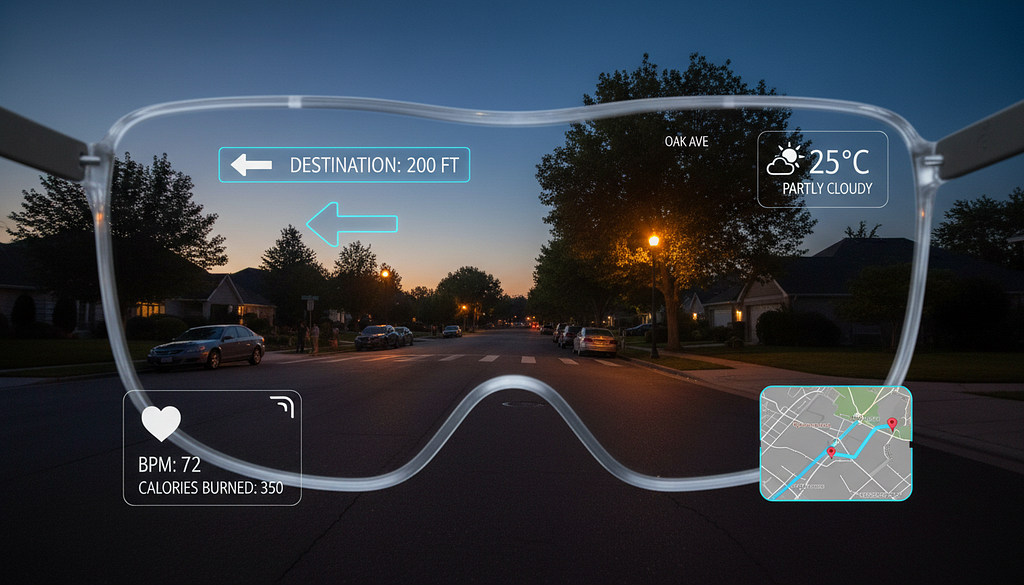
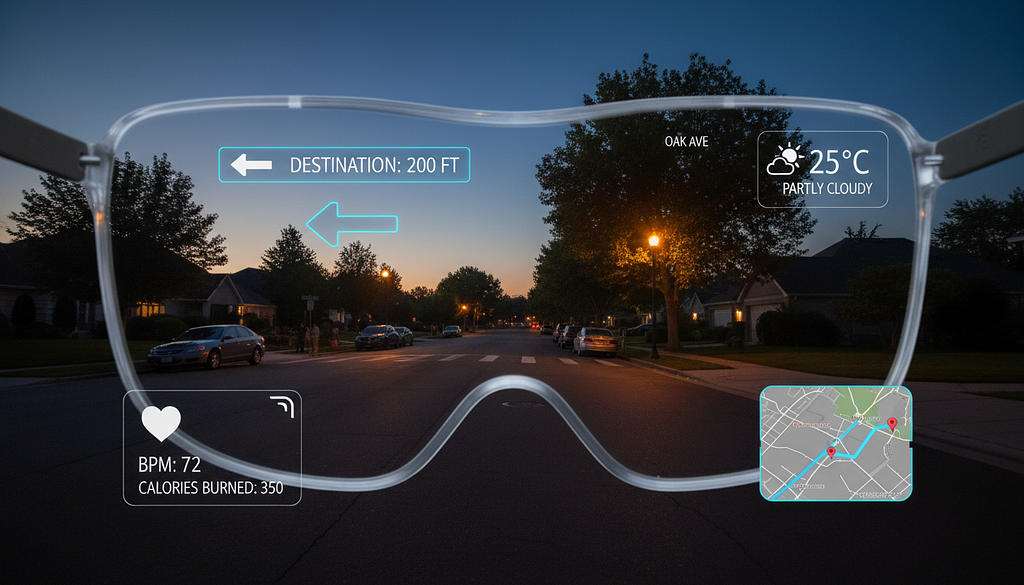
Big companies like XREAL and Meta have released their new AR glasses over the past few months. Unlike bulky VR headsets, they are much lighter and more comfortable, which means users can keep them on longer. I’ve tried some of them myself, and honestly, they’re still a bit heavy (mine keep sliding down my oily nose.) But given how fast the technology is developing, they’ll probably shrink soon and become much more popular.
As they do, accessibility is going to matter more. We can imagine basic features like text reading and speech-to-text being built in. But how can we address this question more creatively? AR has different characteristics than the traditional 2D screen, which means we might have more senses to play with and more ways to engage (trick) the brain. It’s important to think about this while the technology is still in its early development, before design patterns get locked in.
First… how do AR glasses work?
The most basic function right now is using them as a second screen. Connect to your phone and you can watch movies or play games on a larger display without needing a physical one. AR glasses can also overlay information directly on top of the real world.
There are a few key components inside a typical pair of AR glasses:
Display system
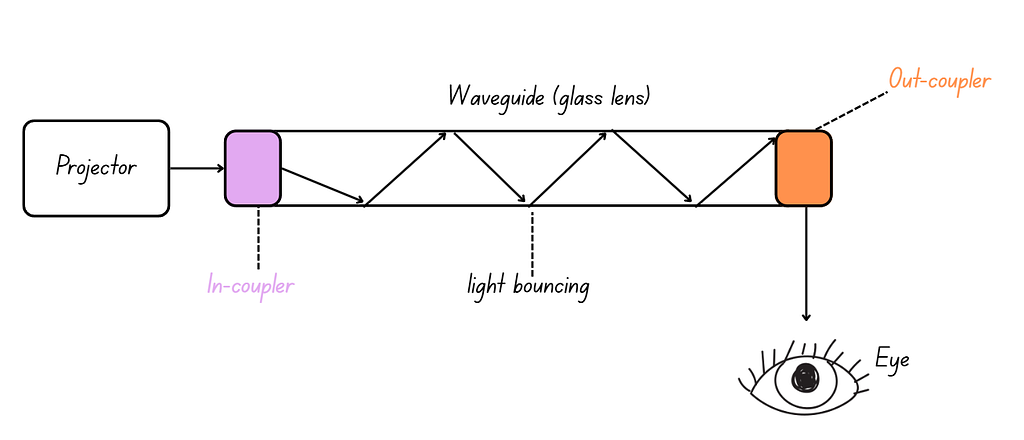
Most modern AR glasses use waveguide technology — a thin, transparent optical layer that directs light from a tiny projector into your eyes while still letting you see the real world. A small projector hidden inside the arm of the frames generates images and projects them sideways into the edge of the lens. The light then travels through the glass via internal reflection, bouncing until it reaches an out-coupler, where it’s released toward your eyes.
Cameras, sensors, and spatial mapping
Using a combination of cameras, motion sensors, and AI-powered algorithms, AR glasses build a 3D map of your physical environment. Some higher-end models also include depth sensors, which fire invisible laser pulses and measure how long they take to bounce back, allowing for more accurate spatial mapping.
Interaction system
Built-in microphones, cameras, and eye-tracking sensors allow users to interact with the environment through voice commands, gaze control, and hand tracking.
Wristband (optional)
Wristbands aren’t a core part of AR glasses, but they pair well with them. They measure the electrical activity of muscles at the wrists as you gesture, translating those signals into digital commands. Unlike camera-based hand tracking in VR, a wristband works even when your hands are out of frame, making it more reliable. Many also include haptic feedback, giving you a physical response when interacting with virtual objects.
What accessibility features already exist?
For low-vision users, Meta AI on Ray-Ban glasses has a “detailed responses” feature, where the AI describes your surroundings or reads labels aloud. Meta also partnered with Be My Eyes, an app that connects blind or low-vision users with sighted volunteers via a camera feed. With AI glasses, you can activate it just by saying “Hey Meta, Be My Eyes.”
There is also an application called vOICe, which continuously captures information through the camera and maps what it sees into soundscapes. It provides users with live, detailed information about their environment through sound.
For deaf or hard-of-hearing users, the INMO GO AR Smart Glasses display real-time speech-to-text, and even support live translation.
Not just for disabled users, but for everyone
Some of the features mentioned above can benefit everyone, not just people with disabilities. We all experience some kind of limitation in our lives. Take myself for example: as a non-native speaker, speech-to-text helps so much when I can’t understand someone’s accent or they’re speaking too fast. I’m also a fan of using larger text, text-to-speech, and adjusting contrast when my eyes are fatigued.
Traditionally, companies usually design the core experiences first, then squeeze in features for disabled users afterward, or build an entirely separate version for them. This tends to isolate disabled users and diminish their experience. Universal design takes a different approach. Instead of treating accessibility as a fix for a specific group, it asks “How do we design experiences that are better for everyone?” The goal is to make something that works across a wide range of people and abilities by default.

Video game The Last of Us Part II is probably one of the best examples of universal design. The team included an “enhanced listen mode” that helps users navigate the world through sound, the option to enable slow motion while aiming at enemies, and haptics so users can physically feel the way a line is delivered, its emphasis and emotion. Many non-disabled players use these features, whether to adjust difficulty or simply to have a different experience, and the feedback has been overwhelmingly positive. Many players report that these additional features make the game more immersive and enjoyable. When accessibility features are well-integrated, they feel like options rather than accommodations.
Past research on multi-sensory experience
For more immersive experiences that involve multiple senses, like AR or VR, we may have even more approaches to the goal of creating universal design. These mediums have greater potential to engage different senses at once.
Our senses don’t work in isolation. Instead, they constantly influence each other. Some past experiments show us how the brain combines information from different senses to strengthen weak signals.
Haptics enhance hearing
In one experiment, participants received light touches on their skin at the same time as hearing sounds. The results showed that touches helped people detect faint sounds more easily, and made sounds seem louder than they actually were. The benefits were strongest when touch and sound happened simultaneously.
In another experiment, participants performed a simple loudness-matching task, where they adjusted one quiet tone until it sounded as loud as another. Sometimes the participants held a vibrating tube while they listened, and sometimes they didn’t. When they held the buzzing tube, they consistently set the tone about 12% quieter than when they weren’t touching it. In other words, the vibration made the sound feel louder than it actually was.
Sounds affect vision
Vision is traditionally considered the dominant sense, but research shows that sound can reshape what we see. In one experiment, when a single flash of light was paired with multiple beeps, people reported seeing multiple flashes, even though only one actually occurred. The more beeps played, the more flashes people reported seeing.
Touch affects perceived weight
In one experiment, researchers gave people objects that weighed the same but were made of different surface materials. Objects made of denser materials like aluminum were judged as lighter, while objects made of less dense materials like styrofoam were judged as heavier. However, this only worked with lighter objects, because heavier ones require a firm grip that drowns out the tactile cues. This shows that the brain gauges weight partly by reading the surface material your fingers are touching.
What all of this suggests is that there might be more ways to address accessibility than we are used to. Making good use of multiple senses can increase accessibility and improve the overall experience. One study found that compared to visual-only or visual-audio experiences, visual-audio-haptic setups consistently delivered better user experiences, showing the promise of this direction.
All of us experience some kind of limitations in our daily lives, some just more often than others. We don’t want to compromise on experience, and that’s why designers and developers have to think creatively based on new potential and characteristics of each technology. It’s our responsibility to deliver the full experience to every user, regardless of their circumstances.
Reference:
- Be My Eyes. (n.d.). Be My Eyes for smartglasses. https://www.bemyeyes.com/be-my-eyes-smartglasses/
- Meijer, P. (n.d.). The vOICe for Android [Mobile app]. Google Play Store. https://play.google.com/store/apps/details?id=vOICe.vOICe&hl=en
- Naughty Dog. (2020). The last of us part II [Video game]. Sony Interactive Entertainment.
- Schürmann, M., Caetano, G., Jousmäki, V., & Hari, R. (2004). Hands help hearing: facilitatory audiotactile interaction at low sound-intensity levels. The Journal of the Acoustical Society of America, 115(2), 830–832. https://doi.org/10.1121/1.1639909
- Shams, L., Kamitani, Y., & Shimojo, S. (2000). Illusions: What you see is what you hear. Nature, 408(6814), 788. https://doi.org/10.1038/35048669
- Ellis, R. R., & Lederman, S. J. (1999). The material-weight illusion revisited. Perception & Psychophysics, 61(8), 1564–1576. https://doi.org/10.3758/BF03213118
- Wei, Q., & Zuo, T. (2025). Design and evaluation of haptic experience in mobile augmented reality serious games. Journal on Multimodal User Interfaces, 19, 411–440. https://doi.org/10.1007/s12193-025-00467-y
- Gillmeister, H., & Eimer, M. (2007). Tactile enhancement of auditory detection and perceived loudness. Brain Research, 1160, 58–68. https://doi.org/10.1016/j.brainres.2007.05.067
AR glasses are here, but what about accessibility? was originally published in UX Collective on Medium, where people are continuing the conversation by highlighting and responding to this story.