
Sketch is the original design choice before Figma was cool. Figma has since taken most of the market, but Sketch has held its ground with the designers who prefer it. This native macOS app now has web tools built on top for sharing work, getting feedback, testing prototypes and handing off to developers in any browser, plus apps for iPhone and iPad.
Sketch was built with designers first in mind, with full offline capabilities, while Figma is a web app that focuses on collaboration between designers and developers. If you want to know more, Sketch makes its own case in this Sketch vs Figma comparison.
For newcomers, a sound starting point is Sketch’s own free offerings: Sketch 101: Create your first designs and Sketch 102: Supercharge your designs. Pair these with their official documentation for a solid foundation.
However, it doesn’t stop there. Considering the variety of learning styles and levels of expertise, we’ve included a range of options from the Class Central catalog of Sketch courses. We’ve also added offerings from Udemy, Coursera, Skillshare and YouTube, and incorporated recommendations from online learners for a well-rounded learning experience.
Click on the shortcuts for more details:
- Top Picks
- What is Sketch?
- Why You Should Trust Us
- Courses Overview
- How We Made Our Picks and Tested Them
Which Sketch Course Is Right for You?





What is Sketch?
Before getting to our top picks, let’s briefly understand what Sketch is all about.
Sketch, a native macOS vector graphics editor and prototyping tool, is ideal for designing wireframes and web & mobile interfaces, and for collaborating with other designers and developers. It works on the same principles as other interface design tools like Figma, offering an intuitive workflow for designers.
New users can take advantage of Sketch’s 30-day free trial, which needs no credit card and is enough room to learn the app and decide whether it fits your needs. After that, Sketch is a paid tool: subscriptions start at $12 per editor per month billed yearly, or you can buy a one-time Mac-only licence for $120 that includes a year of updates. Anyone you invite purely to view and comment on your work is free.
With its versatility and array of features, such as UI/UX mockup creation, wireframing, vector art, prototyping, Dark mode, customizable toolbars, RTL support, built-in spell check, local document editing, and offline access, Sketch proves to be a powerful design tool.
Why You Should Trust Us
Class Central, a Tripadvisor for online education, has helped 100 million learners find their next course. We’ve been combing through online education for more than a decade to aggregate a catalog of 250,000 online courses and 250,000 reviews written by our users. And we’re online learners ourselves: combined, the Class Central team has completed over 400 online courses, including online degrees.
Courses Overview
- 3 of our picks are free and 5 are paid
- The Sketch subject on Class Central lists 66 courses
- Courses in this guide have more than 163K enrollments and views
- The most featured provider is Udemy with 3 courses, followed by Coursera with 2
Best Course for Beginners (by Sketch)

If you are a total beginner in Sketch, Sketch 101: Create your first designs and Sketch 102: Supercharge your designs are the perfect first step. They’re free and available as playlists on the Sketch YouTube channel.
The course instructor is Joseph Todaro, who works at Sketch and teaches design at Laguna College of Art and Design.
Sketch 101 will show you how to use Sketch. It covers setup, basic design, and how to work with others on your projects. Sketch 102 goes deeper: you’ll learn to design faster, create interactive designs, and get your work ready for developers so they can turn your pixels into code.
Each course provides about 90 minutes of content and all the files you need to follow the lessons.
| Provider | Sketch |
| Instructor | Joseph Todaro |
| Level | Beginner |
| Workload | 3 hours for both courses |
| Cost | Free |
| Certificate | Not available |
Best Free Full Feature Tour (Envato Tuts+)

Whether you’ve already worked through Sketch’s official 101/102 pair or you’re looking for an alternative way into the app, Sketch for Beginners covers a lot of the same ground in one place. Across 19 short lessons and about two and a half hours, it walks through the interface, pages, layers, vectors, and text, then covers boolean operations, shared styles, symbols and libraries much as the official pair does, before adding ground those two courses don’t: layer resizing and constraints, links, hotspots and fixed elements, plugins, Sketch Data, and Sketch Cloud and Sketch for Teams. It closes with exporting.
This is a reference-style tour, one lesson per feature, not a guided project. That makes it a good way to find out what Sketch can do before you commit to using a specific tool for a specific job. If you’d rather learn by building something, look at UI/UX Design with Sketch: Travel Booking App instead.
It’s free, carries no certificate, and Class Central’s 4.0 rating rests on just two votes, so treat that number as a placeholder rather than a verdict.
| Provider | YouTube |
| Channel | Envato Tuts+ |
| Level | Beginner |
| Workload | 2 hours 27 minutes |
| Views | 98K |
| Rating | 4.0/5.0 (2 Class Central ratings) |
| Cost | Free |
| Certificate | Not available |
Best Design System Crash Course (Udemy)
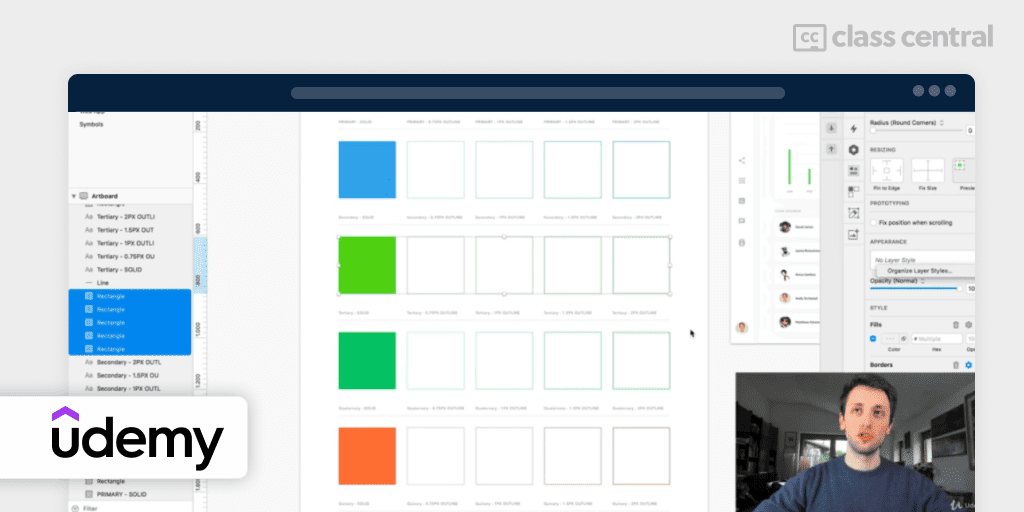
Looking to speed up your design work without losing consistency or quality? Then the free course, UI UX Design Essentials: Create a Design System in Sketch on Udemy, is worth your time.
In this course, you will learn how to build and use pre-made components and elements, speeding up your design process. You’ll find your work becoming more efficient, scalable, and consistently high in quality.
Your instructor is UI/UX Designer specialist Pierluigi Giglio, who will guide you through creating a Design System from scratch. If you’re familiar with the basics of Sketch and have a handle on design principles, advancing to design systems is a logical next step.
“Great course and I loved the plugins that saved time. This course made it easy to build from scratch.” – Yolanda J., learner
| Provider | Udemy |
| Instructor | Pierluigi Giglio |
| Level | Intermediate |
| Workload | 1 hour 41 minutes |
| Enrollments | 14.6K |
| Rating | 4.2 (131 ratings) |
| Cost | Free |
| Certificate | Not available |
Best Sketch Course for App Designers (Udemy)
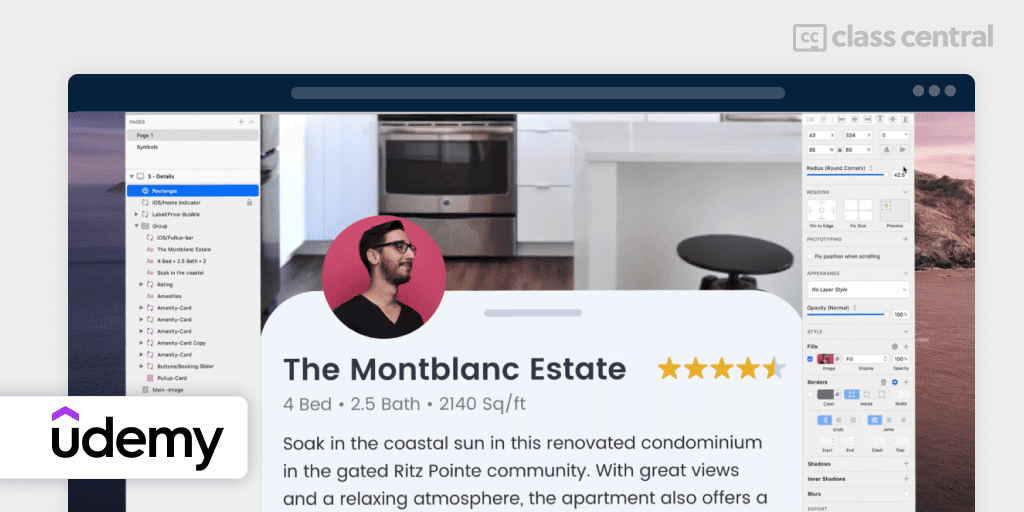
If mobile app design piques your interest, then the top-rated Sketch course on Udemy, Sketch from A to Z: Become an app designer, is the way to go.
Joseph Angelo Todaro, a Sketch expert and a teacher at the Laguna College of Art and Design, leads this course. You’ll start from the basics to mastering app design using Sketch. You’ll learn to quicken your design process with advanced techniques, gain an understanding of UI and UX best practices, and ensure your designs are ready for a seamless transition from conception to application.
In this course, you will build a sample UI for an iPhone music player app. Included Sketch documents allow you to pick up at any point in the project. The course platform provides a built-in discussion forum, and you’ll get a certificate upon completion of the course.
One section to skip: the course ends with prototyping and syncing to InVision, and InVision closed its design tools for good at the end of 2024. Everything before it still applies.
“I was looking for a course to quickly give me a comprehensive overview of Sketch and this is perfect for just that. Very well presented and comprehensive.” – Jorike L., learner
The instructor also has other free courses on YouTube with introductory material for this course: UI Design Deep Dives and Sketch from A to Z.
| Provider | Udemy |
| Instructor | Joseph Angelo Todaro |
| Level | Beginner |
| Workload | 4 hours 34 minutes |
| Enrollments | 38.6K |
| Rating | 4.6 (10.3K ratings) |
| Cost | Paid ($119) |
| Certificate | Available |
Best Course for Web, Mobile and Logos (Udemy)

If you want one course that covers mobile, web and logo design instead of picking a lane, Hands-On Sketch Masterclass fits the bill. Over 8.5 hours, it moves from Sketch basics through a magazine cover project, mobile app screens (including a full music player app), logo design and website design. Design challenges and quizzes break up the lessons, and the instructor points you to resources for inspiration, images and fonts along the way.
The range is the draw here: most Sketch courses pick one design type and stay there. This one lets you practice mobile, web and branding work across a single course, which suits beginners who want a broad foundation before specializing.
That breadth comes with a caveat. The course carries just 28 ratings, a thin sample next to Sketch from A to Z, which focuses on app design alone but has over 10,000 ratings behind it. If you want the most-vetted option, go there instead. If range across formats matters more than a large review count, this one delivers it. Worth noting too: it’s built on Sketch 6, so some interface details won’t match the current app.
| Provider | Udemy |
| Level | Beginner |
| Workload | 8 hours 38 minutes |
| Enrollments | 7.5K |
| Rating | 4.3 (28 ratings) |
| Cost | Paid ($19) |
| Certificate | Available |
Best Landing Pages Design with Sketch Course (Skillshare)
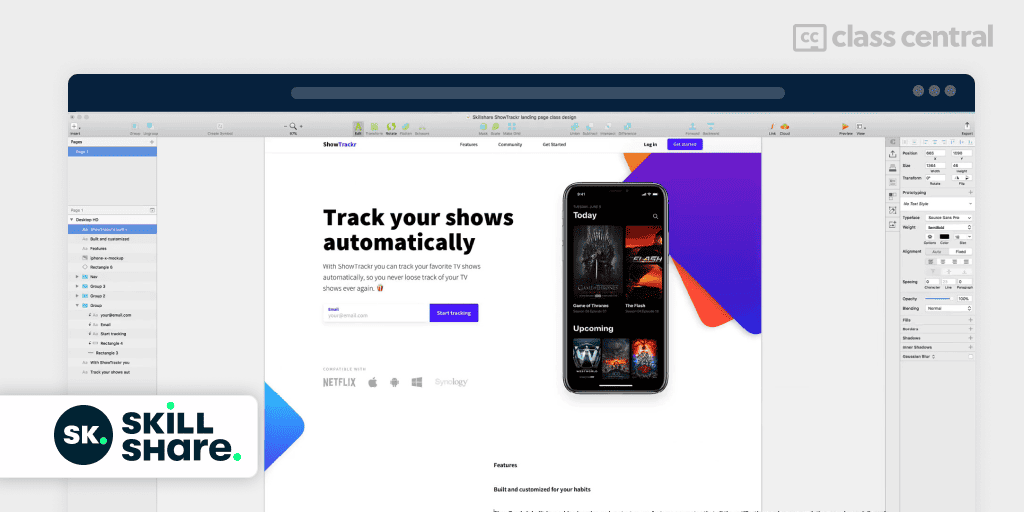
If you’re a beginner or intermediate designer looking to learn how to design high-converting landing pages, then How to Design High Converting Landing Pages in Sketch for Beginners on Skillshare is for you. The course, taught by Daniel Korpai, combines design and business thinking to teach you how to design effective landing pages for both mobile and web.
By the end of this course, you’ll have your very own landing page as your final project. You can see others’ projects for inspiration and receive feedback on yours. You’ll also get a downloadable resource with all class materials.
Two practical notes. Skillshare is subscription-only, so you’ll need an active plan or a trial to watch it, and Skillshare no longer issues certificates for its classes.
“This is the exact kind of tutorial I’ve been looking for. It’s extraordinary because Daniel doesn’t design arbitrarily, he does so intentionally. I liked the fact that he mentioned the dimensions, distances and sizes of elements as he designs them relative to one another. This tutorial is worth much more than many others here.” – Shamsudeen Badamasi, learner
| Provider | Skillshare |
| Instructor | Daniel Korpai |
| Level | Beginner |
| Workload | 1 hour 47 minutes |
| Enrollments | 2.5K |
| Rating | 4.1 (70 ratings) |
| Cost | Paid (Skillshare subscription) |
| Certificate | Not available |
Best Short Guided Project (Coursera)

If you’d rather build one complete screen flow than sit through another tour of the toolbar, UI/UX Design with Sketch: Travel Booking App gets you there fast. Coursera’s own page bills it at about an hour, while the Class Central catalog records 2 hours 12 minutes; either way, you design a travel booking app from the welcome screen through to user profiles, working with artboards, symbols, text styles, and interactive prototypes.
It has no ratings yet, and it isn’t a place to start from zero. The catalog lists it as beginner, and Coursera says no specific background is required, but the course description itself asks for a basic understanding of UI/UX principles. Treat it as practice after you’ve covered the fundamentals elsewhere, not as your first introduction to Sketch.
If you want to cover the UX research and wireframing that comes before this project, Discovery and Low-Fidelity Design with Sketch and Miro is where to go, though it’s a much longer, intermediate-level course rather than the same guided-project format.
| Provider | Coursera |
| Instructor | Pierfilippo Ariano |
| Level | Beginner |
| Workload | 2 hours |
| Enrollments | 1.4K |
| Rating | Not yet rated |
| Cost | Paid |
| Certificate | Available |
Best Course for UX Research and Wireframes (Coursera)

If you want to see where Sketch fits inside a real UX workflow, Discovery and Low-Fidelity Design with Sketch and Miro is the pick. It’s the newest Sketch course in this guide, added in March 2025, and the only one that treats Sketch as one tool in a larger process rather than the whole point.
Miro does the early work here. You’ll use it to interpret user research, build personas and journey maps, and write problem statements. Sketch comes in once you move to user flows and low-fidelity wireframes, then interactive click-through prototypes and design critiques. The last module covers what to include in a UX portfolio.
This is an intermediate course, and Coursera recommends prior experience with Sketch, though there are no strict prerequisites. If you’re new to the app, start with Sketch 101 and Sketch 102. Coursera counts this as roughly 20 hours, spans five modules with 15 assignments, and sits inside its larger Figma, Sketch & Miro for UX Design Professional Certificate.
| Provider | Coursera |
| Instructor | Tatiana Londoño |
| Level | Intermediate |
| Workload | 20 hours |
| Enrollments | 737 |
| Rating | Not yet rated |
| Cost | Paid |
| Certificate | Available |
How We Made Our Picks and Tested Them
Trying to find “the best” can be daunting, even for those of us who live and breathe online courses. Here’s how I approached this task.
First, I combed through Class Central’s Catalog and the internet to find a variety of free and paid open courses, some with certificates. I extracted information from course syllabi and reviews, and compiled their ratings, leveraging the Class Central database with its thousands of course ratings and reviews written by our users as well as available course provider ratings. I watched some course videos to sample courses I hadn’t already taken.
Then, I defined the scope for these recommendations. A Sketch course can cover various topics. I chose top courses from a range of sub-fields: fundamentals, design systems, app design, web and logo design, landing pages, and the UX research process around the tool.
On this update I also rechecked every pick against its current course data, which meant dropping three of them. One taught Sketch 5 from 2018, and two leaned on InVision, which shut down at the end of 2024. I replaced them with courses that are either more current or more hands-on.
Ultimately, I used a combination of data and my own judgment to make these picks. I think they add up to a solid learning path for Sketch.

The post 8 Best Sketch Courses for 2026 appeared first on The Report by Class Central.