
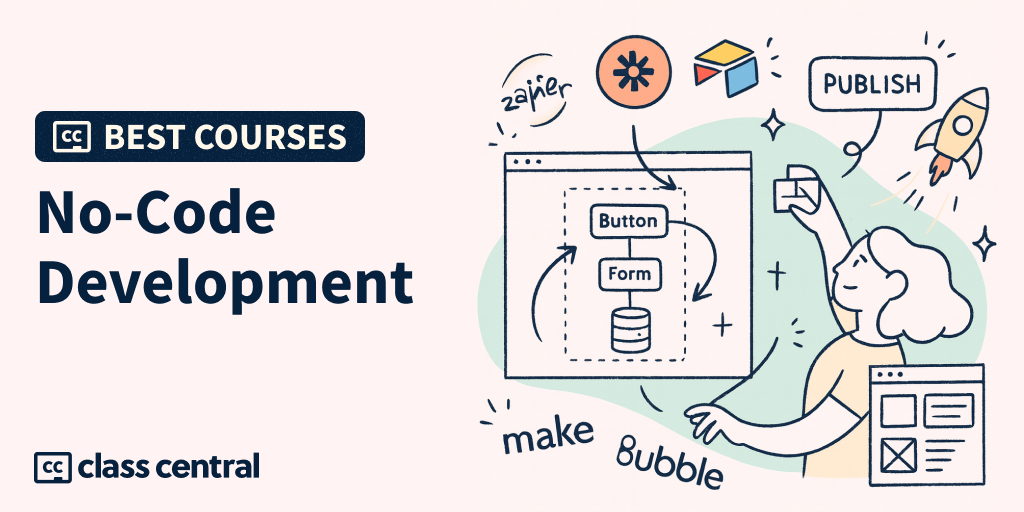

Back in 2021, Gartner predicted that after 2025, 7 in 10 business apps would be built on low-code/no-code foundations. That deadline has come and gone, and the tools have moved well past what the prediction imagined.
No-code or low-code is a software development approach that lets you build interactive websites and apps with little to no coding required.
This development style keeps getting more accessible. Tools like Lovable, Bubble, Softr, n8n, and Claude Code let anyone, especially small, less tech-savvy teams, create internal tools, MVPs, and even enterprise-grade apps.
When Lovable went free for a single weekend, a whopping 250K apps were built and launched in mere 48 hours.
Here’s one example from a 29-year-old:
“I built my first app solo using no-code tools, and I did it in just 21 hours during a hackathon weekend!”
Unlike traditional coding, which took years to master, no-code lets you build functional software using a graphical user interface (GUI) and drag-and-drop functions. And of course, a little code if you choose a low-code tool.
I wrote this Best Courses Guide (BCG) to help you find the best low-code and no-code development courses.
For beginners, I’ve picked courses that cover fundamentals and will help build a no-code tool stack. And for new and existing no/low-coders, I’ve found courses rich in practical exercises and real-world examples.
Why Trust Us and Our Course Choices
Class Central has a catalog of 250,000+ courses. We’ve partnered with 1700+ universities, 100+ providers, and 1000+ institutions to bring the best online courses under one platform.
We’ve helped 100 million learners find their next course. For this guide, we’ve focused on curating the best low-code and no-code development courses for beginners, including students, hobbyists, and early-stage developers.
Here’s how I approached this guide:
- First, I tapped into my experience with no-code development. I tried and tested over 20+ low-code tools for building apps and prototypes.
- Then, I combed through Class Central’s Catalog, peer recommendations, and social proof to find the best no-code courses.
I realized no course would fit all audience levels. However, I aimed to keep this guide approachable for beginners (non-coders and coders alike). So, regardless of your background, there’s a course for you here.
Based on my experience and research, I’ve compiled this list of nine top low-code/no-code development courses (free and paid). Most courses in the list offer practical learning with real-world projects.
Which Low-Code/No-Code Course Is Right for You?




Best for Learning the Fundamentals (NoCode.Tech)
- Level: Beginner
- Best for: Students, hobbyists, and learners
- Duration: Seven short chapters, roughly an evening’s work
- Cost: Free
- Learning style: Structured and contextual

One of my favorites in the no-code space, Nile Frater, is the founder and managing director of NoCode.Tech. You’ll be learning from someone who built an online no-code resource hub and shaped its entire education content.
This course is divided into a seven-part series. The first chapter walks you through the fundamentals of no-code development. Then you dive into the anatomy of no-code interfaces and how you can build a great user experience without writing a line of code.
I picked this course first because it’s well-guided and gives clarity on how one should proceed with no-code development. By the end, it’ll also help you choose tools for your no-code tech stack. It covers:
- A comprehensive introduction to no-code, how it works, and the 4-Pillars to build software without traditional programming.
- Fundamentals to design UI/UX interfaces, manage databases, and create automated workflows.
- A step-by-step plan to design and structure your first no-code project.
- Choosing a no-code tool or platform that is best for you, learn what’s in demand, and selecting your coding partner.
Why take this course:
- The syllabus is well-designed and structured for beginners. You can start from the basics and finish with the right no-code tool.
- You get access to NoCode.Tech’s community, resources, and stories hub, full of insights and case studies.
- It costs nothing, so you can decide whether no-code suits you before paying for anything else on this list.
Sign up if:
- You’re a beginner with zero coding background
- You’re an aspiring product builder or student keen to prototype ideas quickly
- You’re a professional looking to get started with no-code
Skip if:
- You have some experience with no-code development and are looking to the next level
- You’re looking for hands-on projects to work on
Best for Automating Your Own Job (Google)
- Level: Beginner
- Best for: Professionals who want one tool that fixes one real annoyance at work
- Duration: 2 hours
- Cost: Paid
- Learning style: Guided build, one app you keep

Most no-code courses hand you a project. This one makes you find your own, and that’s exactly why it works.
Google’s approach here is refreshingly narrow. Before you build anything, you audit your actual workflow and pick the spot where a small custom tool would save you the most time. Then you build that tool in Google AI Studio by describing it in plain English. You finish with something you’ll genuinely use on Monday morning, not a to-do app you abandon.
It’s the shortest course in this guide at around two hours, and it has picked up more traction than anything else in the no-code space we track: over 240,000 enrollments and a 4.8 rating on Coursera. That combination of “very short” and “very popular” is rare, and it tells you the course respects your time.
The course covers:
- What vibe coding and agentic AI actually are, in language aimed at non-developers.
- Three practice apps, so you get the rhythm of prompting your way to working software before you attempt your own.
- Auditing your own work to spot the highest-value opportunity for a custom tool.
- Building and testing that app in Google AI Studio, then sharing it with colleagues.
- The common pitfalls of vibe coding, so you build responsibly rather than shipping something brittle.
Why take this course:
- It’s the fastest route from “I’ve heard about this” to “I built a thing that works.” Two hours is a lunch break and a bit.
- The workflow-audit module is the part most courses skip, and it’s the part that decides whether your app is useful or a toy.
- Google AI Studio has a usable free tier, so the tooling won’t surprise you with a bill mid-course.
Sign up if:
- You have a repetitive task at work and a suspicion that software could eat it
- You want a quick, credible first win before committing to a bigger platform like Bubble or Softr
- You’re a manager or analyst rather than a developer
Skip if:
- You want to build a product for customers rather than a tool for yourself
- You want depth on one platform. Two hours buys you breadth and momentum, not mastery
Best for Building Apps with Bubble.io (Airdev)
- Level: Beginner and intermediate
- Best for: Developing no-code apps with Bubble
- Duration: 10 weeks
- Cost: Freemium
- Learning style: Structured learning (tool-focused)

Remember I mentioned Bubble as a popular no-code development tool? The professional Bubble Bootcamp by Airdev is a mammoth course for developing no-code apps using Bubble.io.
Throughout the bootcamp, you’ll master everything from foundational Bubble development and the Canvas framework to advanced best practices in database design, security, APIs, and more.
I found it a bit lengthy with 118 video and text lessons. But you get hands-on projects after every lesson (note: the free version has two challenges; you need the premium subscription for more). My favorite challenge is building a Product Hunt clone using Bubble. Fascinating, isn’t it?
With the Airdev Partner program, you get a sweet exit from the course. The program provides paid work (remote, gig-based) with 130+ companies, including Lenovo, Masa, HP, and more.
You’d love to read: How SuiteOp built a $3M Hospitality Platform on Bubble
The course covers:
- Basics of Bubble, including designing pages, workflow logic, and database operations.
- Creating user experiences with clear navigation, effective alerts, and consistent alignment and spacing.
- Bubble’s Canvas Framework, including setting up user roles and modifying sign-up flows.
- Implementing robust payment systems in your Bubble app using Stripe integration.
- Checking for bugs and issues as you build to ensure the quality and reliability of your Bubble applications.
- Optimizing your Bubble app for speed and efficiency, reducing workload units, and improving data query performance.
- Integrating AI features into your app using APIs like OpenAI to create advanced functionalities.
Why take this course:
- The course is beginner-friendly, offering visual explanations, step-by-step tutorials, and guides for Bubble app building.
- It’s a complete roadmap for non-coders starting their development journey with Bubble.
- Each challenge includes step-by-step instructions, walkthrough videos, a self-Q&A checklist, and an answer key app editor to guide you through the process.
Sign up if:
- You’ve chosen Bubble as your core visual development tool. This course has everything you can do using Bubble.
- You’re looking to build internal tools and apps for your clients.
- You want post-learning work opportunities. Bubble has a partner network that gives access to paid no-code development gigs.
Skip if:
- You want deep, traditional programming/CS fundamentals
- You need heavily custom backend code
Here’s an alternative to this course: Build an Airbnb clone using Bubble
Best for WordPress and Elementor (Udemy)
- Level: Beginner
- Best for: Building client websites on WordPress
- Duration: 20.5 hours
- Cost: Paid
- Learning style: Self-paced with practical exercises

Elementor is a popular WordPress page builder plugin that lets you create appealing websites using a drag-and-drop, no-code website builder.
HotelHub, March, and Bernard London are some examples of websites built using Elementor.
The catch is that the tool is limited to WordPress websites, and the features this course leans on need Elementor Pro, which is a yearly subscription. So it’s ideal for you if you’ve chosen Elementor as your core no-code development tool.
On the sidelines, Elementor Academy also hosts free website-building courses. You can choose to learn from the academy. But the courses are limited to how-tos and feature-specific lessons.
This Udemy course covers a vast syllabus. It’s a certification course with 15+ downloadable resources and hands-on practical projects. You learn with a fun, trial-and-error approach. From understanding the basics of WordPress to designing every page and connecting them for smooth navigation, this course teaches you everything you need.
I’d recommend this if you want to build your own profitable blog or gain more advanced WordPress and Elementor design skills, so you can build your own (or clients’) e-commerce websites.
The course covers:
- Installing and configuring WordPress locally and on web hosting, understanding domains and hosting basics.
- Elementor page builder: build pages, sections, templates, headers/footers, and responsive layouts.
- Building complete, production-ready sites (one-page sites and multi-page business sites) with menus, contact forms, and SEO basics.
- Using themes, plugins, and common integrations to extend functionality (forms, galleries, sliders, fonts).
- Hands-on site projects so you can practice by building real websites from scratch.
Why take this course:
Elementor is used by millions of websites worldwide, across a wide range of industries and niches. Taking this course will open up opportunities for you in the no-code development space.
Sign up if:
- You want to learn WordPress for building a career
- You’re open to a trial-and-error learning approach (build, tweak, repeat)
Skip if:
- You find it difficult choosing your tech stack (this course expects you to work with WordPress + Elementor specifically)
- You want to avoid recurring software costs, since the Pro plugin renews annually
Best Free Enterprise Low-Code Path (Microsoft)
- Level: Beginner
- Best for: Low-code inside a company that already runs on Microsoft 365
- Duration: 8.5 hours
- Cost: Free (the certification exam is separate and paid)
- Learning style: Reading modules with hands-on exercises and end-of-module assessments

Here’s the thing this guide was missing: most low-code work doesn’t happen on Bubble or Lovable. It happens inside companies, on Microsoft’s Power Platform, built by people whose job title has nothing to do with software.
PL-900 is Microsoft’s own free learning path for exactly those people. If your employer runs on Microsoft 365, this is the stack you’ll actually be asked to build on, and it’s the one with an obvious internal career ladder attached.
It’s the highest-rated pick in this guide on Class Central, and with 390 bookmarks it’s also the one our readers save most often. Be clear on one thing, though: the learning path is free, but PL-900 is also the name of a paid Microsoft certification exam. Working through the path costs nothing; sitting the exam for the credential does.
The course covers:
- Power Apps: the difference between canvas and model-driven apps, and exercises where you build one of each.
- Power Automate: cloud flows, desktop flows, process mining, and building a flow with Copilot.
- Power BI: cleaning and transforming data, then assembling a basic dashboard.
- Power Pages: standing up a low-code website on the same shared business data.
- Microsoft Dataverse and connectors, including a hands-on exercise building a basic data model.
- Copilot Studio and AI Builder for adding agents and AI models to your business processes.
- Administration, security, and governance, which is the part that separates a toy from something IT will let you deploy.
Why take this course:
- It’s genuinely free, from the vendor, and kept current. No affiliate course chasing a platform’s changing UI.
- Every module ends with an assessment, so you find out what didn’t stick before you move on.
- It maps onto a recognised credential. Even if you never sit the exam, “I’ve done the PL-900 path” is a sentence your IT department understands.
Sign up if:
- You work somewhere that runs on Microsoft 365, Teams, or Dynamics
- You want to become the person on your team who automates the tedious stuff
- You’d rather learn a platform with governance and permissions built in than one you’d have to sneak past IT
Skip if:
- You’re building a consumer product or a startup MVP. This is business software, and it looks like it
- You want to design freely. Power Apps trades visual flexibility for speed and integration
- Your workplace isn’t a Microsoft shop, in which case this knowledge won’t transfer anywhere useful
Best for Developers Adopting AI (Coursera)
- Level: Beginner, but it assumes you already code
- Best for: Early-career software engineers and graduates
- Duration: 5.5 hours
- Cost: Paid
- Learning style: Hands-on project learning

Lauren Goode, a senior correspondent at WIRED, worked with the engineering team at Notion, which used AI for coding assistance. She noticed that engineers referred to these AI-assisted coding tools as “interns.” She then shipped a new feature to the Notion app herself, with Cursor and Claude doing the typing.
That’s the shift this course is about. It teaches you to use Claude Code in real software engineering work, and it’s part of Vanderbilt’s wider generative-AI software engineering track on Coursera. Consider it a mini-course for graduates and early-career engineers folding AI agents into their workflow.
It’s taught by Dr. Jules White (Vanderbilt University), a seasoned educator in software engineering and generative AI. My colleagues love his style and degree of education. It has since grown into one of the most popular courses on this topic anywhere, with close to 50,000 enrollments and a 4.7 rating.
A quick word on where this sits: everything else in this guide is for people avoiding code. This one is the opposite, and it’s here as the graduation step. If no-code tools start feeling like a ceiling, this is what’s on the other side of it.
P.S. If you think it’s not enough, I recommend taking Cursor Tutorials for Beginners (AI Code Editor) with this one.
This course covers:
- Orchestrating Claude Code like a tech lead, delegating features to AI agents.
- Writing “big prompts” that get Claude Code building entire features instead of generating single functions you copy-paste.
- Training Claude Code through examples so it writes code that matches your team’s style without 100-page style guides.
- Writing CLAUDE.md files, commands, and prompts so the agent follows your architecture and style.
- Parallel feature development with Git worktrees and AI subagents, then automating merges and QA.
- Multimodal prompting to turn sketches or whiteboard ideas into UI components and code.
Sign up if:
You’re a coder with basic software development experience and familiarity with version control (Git).
Skip if:
- You don’t have prior coding experience
- You’re looking to vibe code instead of typing code
Best for Shipping a Real AI App (Udemy)
- Level: Beginner
- Best for: Vibe coding apps for beginners and non-coders
- Duration: 5 hours
- Cost: Paid
- Learning style: Practical, hands-on project learning

Vibe coding has gone from a novelty to a normal way to start a project. Taking this Udemy course felt like an interactive, hands-on workshop, and I didn’t feel lost.
The instructors, Nikolai Schuler and Jagger Bellagarda, designed it as a step-by-step path for total beginners. Every lesson is practical and clearly structured.
We jumped right into building real apps using tools like Lovable, Databutton, and n8n. By the end, I might have actually built an AI-powered web app, but I ran out of Lovable credits.
The modules are relatively short and aimed at non-technical creators and entrepreneurs. Overall, it felt empowering for anyone wanting a guided intro to AI-enabled tools. The course has also kept pace: since we first reviewed it, a module on building no-code mobile apps with Rork has been added.
The course covers:
- Building and deploying real AI-powered web apps using no-code tools like Lovable and Databutton.
- Creating and automating smart workflows using n8n (a drag-and-drop automation tool).
- Technical elements like logins, databases, and Stripe payments to your app using simple visual logic.
- Using AI to generate content for chatbots and automate cross-platform tasks in your app.
- Core concepts of security and debugging, including how to design effective AI prompts when things break.
- Building no-code mobile applications with Rork.
Why take this course:
- The tools used in this course are surprisingly approachable. For example, Lovable’s AI-generated skeleton gave me a basic app in minutes. Customizing features was no biggie.
- I appreciate Nikolai’s honesty. He emphasizes that you’ll need patience and iteration. Indeed, I had to tweak some AI prompts and fix a few bugs, despite them working in the course videos. Knowing this upfront helps you prepare for the trial-and-error process.
Sign up if:
- You’re already paying for tools like Lovable, but don’t know how to make the most out of them.
- You’re seeking a practical, project-based introduction to Lovable.
Skip if:
- You are not looking to debug or fix code, and want completely no-code development.
- You’re looking for a more controllable, drag-and-drop interface for app building.
P.S. You’ll need premium subscriptions for the tools. If you’re not yet ready to invest, the next course is free.
Best Free Automation Starter (freeCodeCamp)
- Level: Beginner
- Best for: Adding a working backend behind a vibe-coded front end
- Duration: 1.5 hours
- Cost: Free
- Learning style: One build-along video, start to finish

Here’s the wall most people hit after their first vibe-coding weekend: the app looks great and does nothing. There’s no logic behind the buttons.
This free freeCodeCamp session is the shortest fix for that I’ve found. In 93 minutes you build a real file-processing app: Bolt.new generates the front end, and n8n does the actual work behind it, handling uploads, routing PDFs, text files, and CSVs down different paths, extracting fields, and combining the results.
What makes it worth your time over the hundreds of n8n videos on YouTube is the framing. The first 20 minutes are about vibe coding like an engineer: why LLM context matters, which path to follow, and how to think about building something that survives contact with real users. Then it stops theorising and builds.
It also covers the unglamorous part nobody films: what to do when n8n throws an error on a binary file. That troubleshooting segment is the most useful ten minutes in the video.
The course covers:
- The full vibe-coding workflow, and how to apply software engineering principles to it.
- Why LLM context matters, and how it shapes what you get back.
- Setting up n8n and building your first workflow with webhooks.
- Generating a front end with Bolt.new and wiring it to an n8n backend.
- Using a Switch node to process PDF, TXT, and CSV files down separate paths.
- Troubleshooting binary file handling, which is where most first workflows break.
- Adding a Code node for field extraction, then testing the whole upload-and-process flow.
Why take this course:
- It’s free, it’s 93 minutes, and you finish with a working app rather than a concept.
- n8n has a generous free tier and can be self-hosted, so nothing here expires on you like Lovable credits do.
- Automation is the skill that makes every other tool in this guide more useful. Softr, Bubble, and Power Apps all get better once you can wire them to something.
Sign up if:
- You’ve built a front end and now need it to actually do something
- You want the automation layer without committing to a paid course first
- You learn well by building alongside someone in real time
Skip if:
- You want a structured curriculum with assessments. This is one long video, and it moves fast
- You’ve never touched a no-code tool. Start with the fundamentals course at the top of this guide
Best Course Bundle for Building Apps with Softr (Softr)
- Level: Beginner
- Best for: Building business apps with Softr
- Duration: Three courses, about 6.5 hours in total
- Cost: Free
- Learning style: Theory with practical use-cases

Softr is my go-to no-code app development tool. As part of their content team, I used to cover use-case-specific blogs. A major part of my job was using Softr to actually build client portals, employee database apps, approval workflow systems, and more.
I’d say it’s easy, with drag-and-drop functions. For beginners, it has ready-made app templates for layout and building blocks for app design. Plus, you don’t need a cent of code.
If you’re looking to create internal business tools, or let’s say build them for your clients and earn, I’d say Softr is a good (and free) start.
You can become a Softr Certified Professional with these three self-paced sub-courses:
- Softr 101 (1 hour)
- Building a client portal (3 hours)
- Building an inventory management app (2 hours 20 minutes)
Beyond these, Softr also offers certification courses and exams. You can choose to learn core lessons (with certifications) and join a huge community of Softr developers sharing their no-code journey.
The course covers:
- The basics of Softr and how to get started quickly (the Softr 101 intro is designed for first-time users and runs about an hour).
- Linking Softr Databases to any third-party data sources in your app. You’ll see exactly how to bind database fields to page elements.
- Tutorials on how to arrange premade blocks (lists, detail views, forms, etc.) on the canvas and connect each block to your data.
- Adding actions and advanced features, such as hiding fields, setting user roles, configuring element-level settings, and deploying a simple portal or internal tool.
Why take this course:
- I love the hands-on project format. Instead of abstract lectures, I could actually try Softr for building apps one step at a time.
- Each lesson comes with a comments forum so you can ask questions and get answers. I used this when I got stuck, and the instructors or community often chime in with a helpful tip.
Sign up if:
- You’re looking for a beginner-friendly no-code app builder for personal or client use.
- You’re a small company needing a custom internal tool like a dashboard, CRM, or portal. This course will show you how to build one step by step.
Skip if:
- You require pixel-perfect design control, since UI customization is limited compared to tools like Webflow or Bubble.
- You want to go beyond basic drag-and-drop; Softr isn’t ideal for building complex, consumer-facing apps (such as social networks and games).
Free/Bonus Resources
| Resource | Category | Description |
|---|---|---|
| Laws of UX | Repository | Psychological principles that influence how users interact with digital interfaces |
| Product Disrupt | Newsletter | A mid-month newsletter with hand-picked stories on design and technology |
| Low-code/No-code by Phil Simon | E-book | Citizen Developers and the Surprising Future of Business Applications |
| WeWeb | Blog | 19 YouTube Channels to Master No-Code + AI Development |
The post 9 Best Low-Code/No-Code Development Courses for Beginners in 2026 appeared first on The Report by Class Central.