
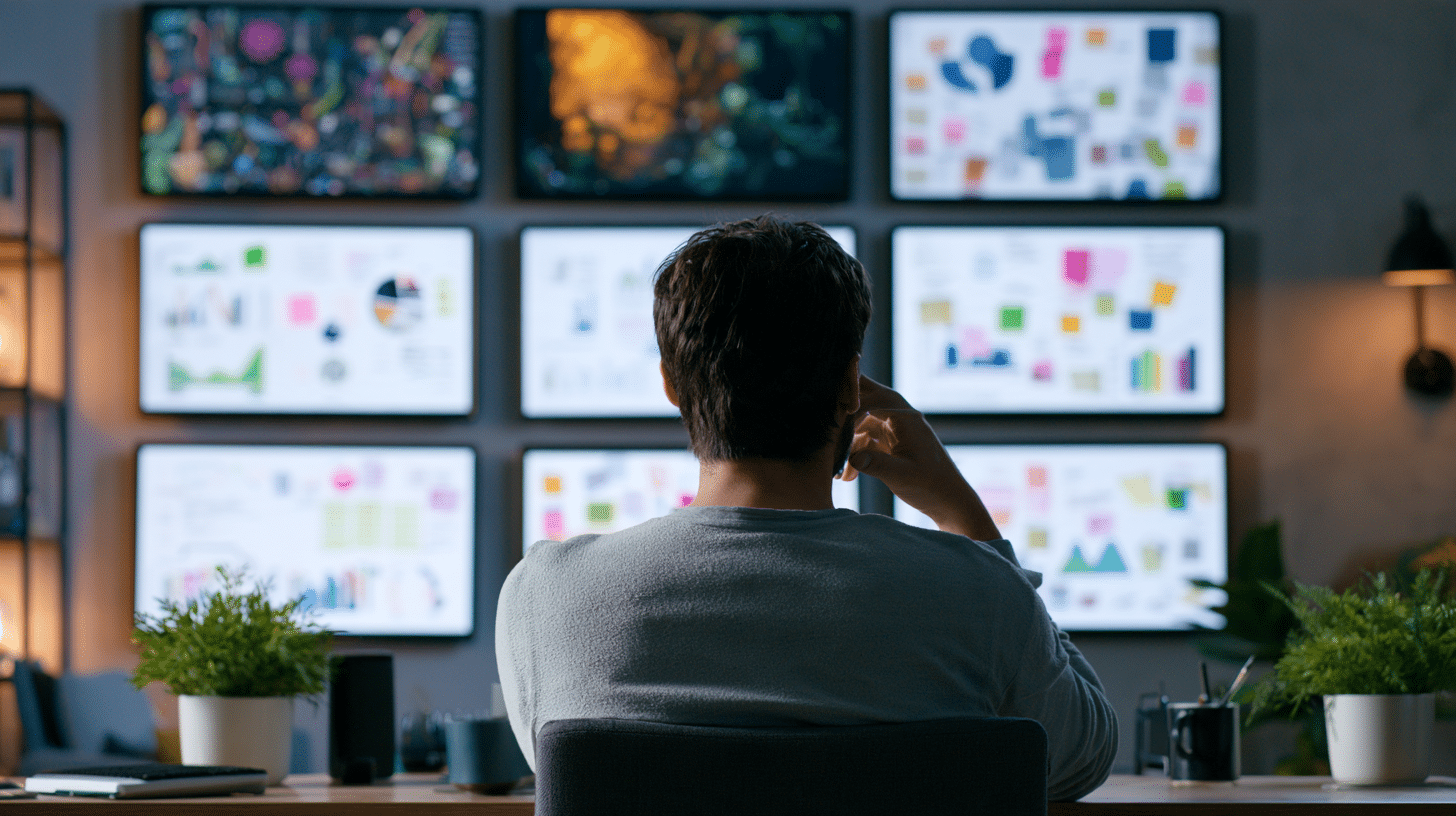
There are three screens behind my desk right now, and two of them aren’t plugged into my laptop at all. One shows a client’s launch countdown. One shows the invoice that’s been sitting unpaid for nineteen days. That second screen has done more for my cash flow than any invoicing app I’ve ever tried.
Freelancers tend to treat hardware as overhead. It’s not. A small monitor wall changes how you work and, more importantly, how clients read the room when they walk in or log on. The setup doesn’t have to be expensive either. A lot of it comes down to picking the right player, and something like an android digital signage stick does most of the work for under a hundred bucks.
What a Monitor Wall Actually Does for a Freelancer
You’ve got a laptop, a coffee mug, and a second monitor you bought during a Black Friday haze. That’s a workstation. A monitor wall is a different thing: a set of screens that run on their own, showing information you want visible without lifting a finger.
Three obvious uses, and none of them require a corporate IT department:
👋 Hey… Are you coming to our FREE Event: The 10X Your Freelancing Summit? Thousands are gathering virtually on August 25-27, 2026. Claim your FREE spot now.
- Client-facing proof. When a prospect joins a video call, a screen behind you showing their logo, a project timeline, or a moodboard tells them you’re organized before you say a word.
- Deadline pressure. A countdown timer is stupidly effective. Mine sits at eye level. I’ve never missed a Friday deliverable since.
- Pipeline visibility. A simple board of leads, proposals out, and money owed. It’s the freelancer version of an office wall, minus the motivational posters.
I’d argue the second one matters most, because freelancers don’t have a manager tapping their shoulder. You have to build the tap yourself.
Why the Player Matters More Than the Screen
Here’s the mistake I made first: I plugged a spare monitor into my laptop and dragged a browser window onto it. That worked for about four days. Then I closed the laptop, and the screen went black, and I lost my countdown entirely.
A monitor wall needs its own brain. That’s the whole point. The screen should keep showing what it’s supposed to show whether your laptop is open, asleep, or in a bag at a coffee shop. Small hardware players solve this cheaply, and an HDMI stick running a modern Android build can push 4K, handle split-screen zones, and connect over both Wi-Fi and Ethernet without a fuss.
The other thing to check is remote management. If you can log into a portal from your phone and swap what’s on the screen, you’ll actually keep the wall updated. If updating means plugging in a USB drive every time, you’ll do it twice and then quit. I’ve watched this happen to three different freelancers, including me.
The Setup I’d Actually Recommend
Skip the fancy version. Here’s the build I’d hand to any freelancer starting from zero:
- Start with one screen, not five. A single 24-inch monitor at eye level, off to the side of your main display, gets you 80% of the benefit.
- Give it a dedicated player. Small HDMI stick, plugged into the monitor, powered by USB. No laptop involved.
- Pick four things to display, max. A countdown, an invoice board, a client logo wall, and a clock. Anything more and it becomes wallpaper you stop seeing.
- Set a Sunday refresh. Fifteen minutes, once a week, to update the countdown and clear paid invoices off the board.
- Cable it if you can. Wi-Fi drops. An Ethernet cable from your router to a $12 adapter ends the whole problem permanently.
Total cost if you already own a spare monitor: under $120. That’s less than one billable hour for a lot of you.
The Room-Reading Effect Nobody Talks About
Here’s the part that surprised me. Clients notice. Not the screens themselves, but the fact that you have a workspace that looks deliberate.
I had a call last spring with a marketing director who spent the first ninety seconds asking what was on the screen behind me. It was her company’s rebrand timeline. We closed the retainer that week. Was the monitor the reason? No. Did it make the conversation easier? Absolutely. It gave her visual proof I was already tracking her project, before I’d opened a single doc.
That’s a small edge, but freelancing is a stack of small edges. You don’t win work with one big move. You win it by being the person who seems like they have their act together, repeatedly, over months.
What to Display (and What to Definitely Skip)
Show: current project milestones, a running tally of proposals sent this month, unpaid invoice age, the date and time of your next client call, and your own weekly targets.
Don’t show: your inbox. Your calendar feed with personal appointments. Anything with a client’s name and confidential figures on a screen visible to other clients on a video call.
I learned that last one the hard way. Sharing a screen during a Zoom call with a second monitor in frame is a fast way to leak information you didn’t plan to share. Keep the wall generic: logos, dates, counts, nothing sensitive.
Does This Make Sense for Freelancers Who Work From Home?
Yes, and this is where most people push back. “I don’t have clients visiting.” Fair. But freelancers who work from home deal with an entirely different problem: the absence of structure. There’s no office, no commute, no colleagues, and no ambient signal that today is a workday.
A monitor wall is that signal. It’s the closest thing to walking into an office and seeing the board updated. I’d argue remote freelancers need it more than people with a coworking membership, because coworking gives you the structure for free.
For the record, I’d also suggest checking your local coworking space before buying anything. Some let you bring a second monitor. Most don’t. Either way, the home setup is where the wall earns its keep.
Where This Is Headed
Freelancers have been quietly becoming small businesses for years. According to the Bureau of Labor Statistics, self-employment has been a stable and growing slice of the American workforce for decades, and the tools around it have matured along with it. What used to be corporate-only gear, like signage players and digital display management, is now priced for one person with a laptop and a spare monitor.
The same shift shows up in government procurement rules, where small businesses get specific set-aside access. That’s not directly about monitors, but it signals something useful: the line between independent operator and small company keeps thinning, and the tools follow.
If you want a less commercial read on how small operations adopt tech, the General Services Administration, the federal government’s own procurement arm, publishes openly about how small firms buy and deploy equipment. It’s dry, but it’s honest.
The Thing I’d Tell Myself Two Years Ago
Buy the cheap stick. Use the monitor you already own. Pick four things to show and update them once a week. That’s the entire playbook, and it takes an afternoon.
The freelancers I know who feel like they’re constantly behind aren’t short on skill. They’re short on visible structure. A wall of screens behind your desk is the cheapest structure you can buy. It doesn’t fix your discipline. It just puts the discipline somewhere you can see it.
So here’s the question: what would you put on that screen if it were already mounted behind you? Countdown, invoice total, or a client logo wall? Pick one. Set it up this weekend.


Keep the conversation going…
Over 10,000 of us are having daily conversations over in our free Facebook group and we’d love to see you there. Join us!