
The one with React, Tailwind and the separation of concerns
When I started learning about web development I learned clean HTML, vanilla JavaScript and pure CSS, which are three different ways of saying: “No Frameworks”.
That’s the way most developers learned to code, at least in my age group, since we didn’t have any framework other than jQuery back then, and AI coding assistants weren’t a thing yet.
Years later I did learn React (a JavaScript framework) and I did had to get to know Tailwind (a CSS framework) for work projects so everyone in the development team would be on the same page.
For years I didn’t understand why React or Tailwind worked in the way they did, I felt frustrated because every little thing seemed to require more work then in plain JavaScript or CSS.
I didn’t think those frameworks save me much time or work in the long run and I was annoyed that I had to use them every day.
When I asked other developers about that, they often cited the concept of “separation of concerns” as a reason that makes React simpler to use or more suitable for team projects.
At the time I didn’t get it. But now — after years of working with React and Tailwind I think I’m finally getting it. If you’re anything like I was, confused or frustrated about it, please keep reading.
What is separation of concerns
Separation of concerns is a programming term that means that any “problem” can be separated into smaller and easier to deal with “concerns”.
In our example the “concerns” are just long code that is hard to grasp all at once. HTML has a few ways of dealing with code that is too complex already built-in to the technology.
One way we can handle code that’s too long is to separate it into different files — HTML for the content, CSS for the styles and JavaScript (js files) for functions.
This way you can more easily separate the different areas you’re dealing with: HTML for the structure, CSS when you handle the design and JavaScript when you handle the hardcore programming stuff.
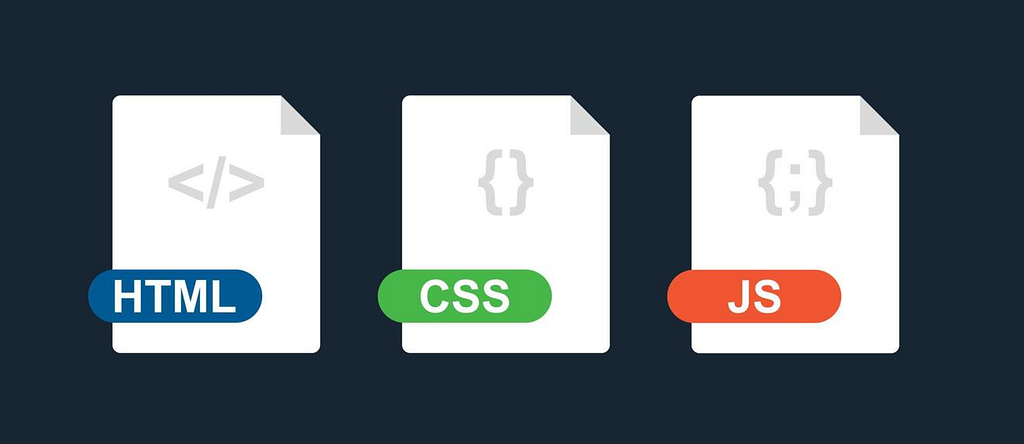
Of course in real projects every file will be in multiples, multiple HTML files for different pages (or parts of pages), multiple CSS files for different aspects of the design and multiple JavaScript files for different kinds of functions.
As the project goes up in complexity the pile of files gets bigger and it is murky at best where is the line to split the files.
If we’ll take for example CSS files, as it is closest to the design aspect and so easier to explain, we have multiple options how to slice it:
- Maybe just to work with one huge file
- Slicing it to smaller files by platform: Desktop.css, Mobile.css etc.
- Slicing it by components: Header.css, Footer.css, Button.css etc.
- Slicing it by pages: Index.css, About.css, Contact.css … General.css
- Slicing it by function: Common.css, Breakpoints.css, Vars.css etc.
It isn’t clear at all where to draw the line of separation and I’ve seen many teams do it in very different ways, sometimes even combining more than one option unintentionally.
So how can React and Tailwind help us to decide?
The component based approach
Let me preface what I’m about to say with that, like HTML, there’s lots of ways of making a React app.
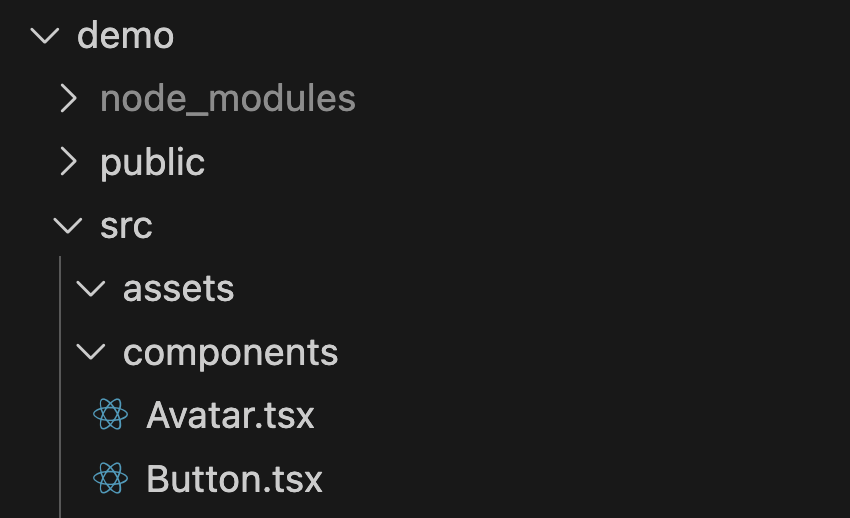
The most common way is to separate each component into its own file, so we’ll end up with files named Button.jsx, Checkbox.jsx, Avatar.jsx, Card.jsx etc.
These components get imported into different screens with different configurations (via props) so the code inside the components will potentially get replicated an infinite amount of times.
Unlike HTML, we don’t need to manually copy the code to different places and different files, we just import the component and React will swap its code into every place we’ve called it from.
If we’re thinking about the separation of concerns, what React does is very different from HTML, CSS and pure JavaScript .
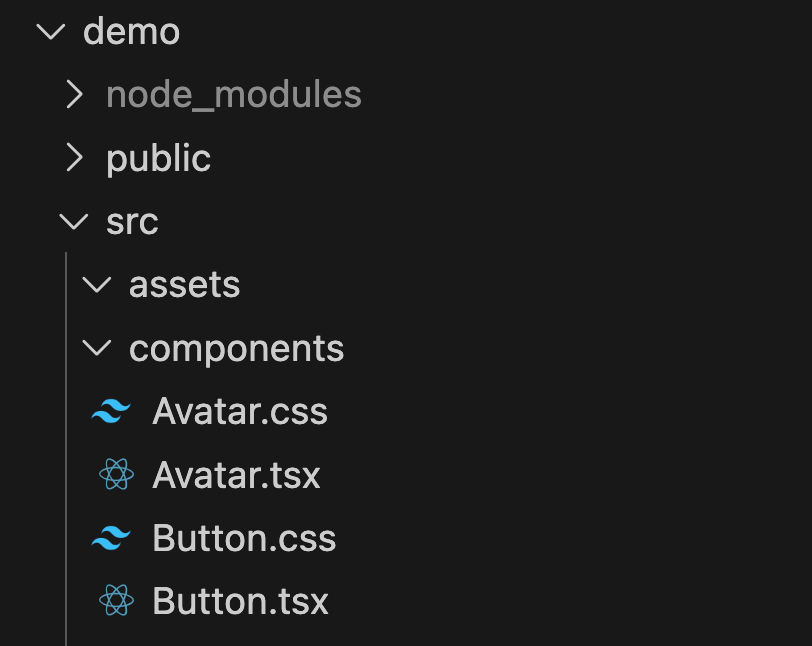
HTML, CSS and JavaScript separate our concerns into multiple areas of responsibility, while React takes a different approach.
React separates our concerns based on component structure, so different developers can work on different components without bumping into one another.
But they’re all React developers, no longer a CSS specialist or an HTML architect, everyone is doing the same kind of work but on different building blocks.
The distinction here is major since it slices the work for optimization rather than for specialization, which is almost the opposite approach.
Entering Tailwind CSS
Tailwind is a very popular CSS framework that works as a utility framework meaning all styles are done with inline classes instead of a big giant stylesheet.
This way you can copy and paste components from different layouts and ensure they will look exactly the same, of course when working with React components, the component gets imported into many layouts, pages or screens so consistency is key — and Tailwind enables just that.
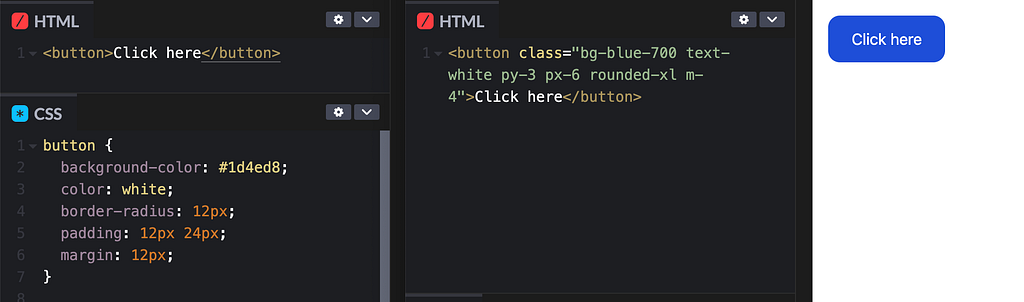
If this is your first time seeing Tailwind code, I implore you to go and try it out, it’s not as strange to work with as it might seem at first glance and it is much better than making inline styles.
Now that every codebase is in some degree written with AI I can’t stress this enough — Tailwind is much better than regular inline styles, if you’re a CSS purist working with a stylesheet file or files that’s great, even a simple inline style here and there is mostly fine.
But never let the AI just make lots and lots of inline styles for everything, always ask to convert them to another file or just to work with Tailwind, inline styles are unmaintainable in the long run.
I know what you must be thinking when encountering Tailwind, and it’s the title of the next section.
What happened to separation of concerns?
I know that at first it looks like our separation of concerns is gone, React already implements all the HTML (via JSX) and the JavaScript in the same files.
Tailwind CSS takes it even further and it pulls the CSS utility classes into the JSX as well, instead of leaving them on separate files.
That way we don’t get any separation by areas anymore, the functions, design and structure all live together.
What we DO get, however, is separation by component, which can be more useful for big teams who work on the same system or same project together.
Separation by component means that even though a developer might be working on all the different areas of an Avatar component, the same developer doesn’t need to be concerned about the Button component while doing it.
Tailwind CSS ensures that all components will be designed as planned, even if they were designed in isolation, outside the system itself, since its utility classes are all deterministic by design and no style should ever leak outside its intended scope.
Conclusion
Separation of concerns is subjective and it is done differently in different systems, React and Tailwind do it component-based while pure HTML and CSS are more area-based.
There is no right answer to how you should do it, but consistency is key, especially when working in a team.
Guidelines and best practices are great, but a separation that is inherit to the technology itself will always be better since everyone in the team can agree on it.
When we consider a separation of concerns based on areas of expertise we can also consider to hire a CSS specialist, for example, but a Button specialist is not currently a job title, and maybe it should be as React and Tailwind becomes more popular.
I didn’t touch on all the ways to separate CSS into multiple files and achieve something similar to component-based separation of concerns in pure HTML and CSS because I don’t believe it’s the right way to go when working in large teams.
There are a million technologies out there and a million ways to solve this issue, but I picked React and Tailwind as an example since it’s a very popular solution.
This article only scratched the surface.
I hope you enjoyed it, thanks for reading.
Sources
Separation of Concerns Wikipedia Page
Tailwind CSS: Styling with utility classes
Separation of Concerns in React
Separation of Concerns — The Programmer’s Guide
Is separation of concerns a goal or a lie? was originally published in UX Collective on Medium, where people are continuing the conversation by highlighting and responding to this story.