
What we lost when design became mainly UI, and what AI gives us the chance to reclaim
Design practice is changing again. The process is shrinking, and most tasks, especially the ones usually reserved for junior designers, are being automated. Speed is even more important than before, and the go-to-market timeline is reducing consistently with the advancement in AI technologies.
AI is making the prototyping part of the discipline easier and — to a certain extent — accessible to more and more people. Some predict that the practice will disappear, as it will become redundant now that interfaces are a commodity. There have been multiple in-depth analyses of the design crisis and how AI impacts it, which is worth reading, so I’ll focus on another aspect that I feel is equally important.
Rather than disappearing, AI offers us a unique chance to return to the essence of design: enabling users to achieve their goals with high satisfaction. The real work now is to focus fully on outcomes that matter, using new tools to deliver on design’s core promise.
A bit of context.
In the last decade, design has been (sadly) identified more and more with UI and Visual. They are, in fact, just one of the layers, the communication (and part of the interaction) layer.
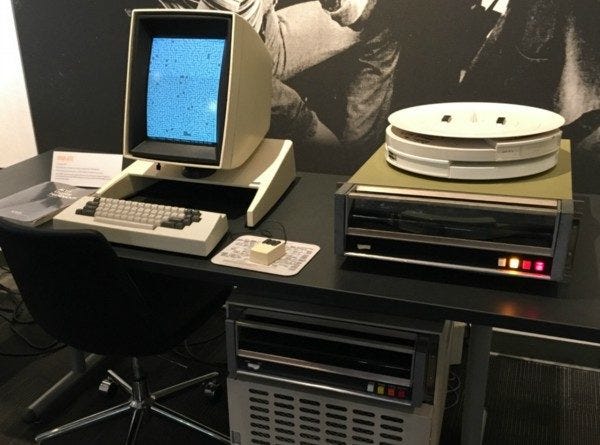
Since HCI was born, the main challenge has always been making humans able to interact with a machine, and given that the latter were limited, humans needed to adapt.
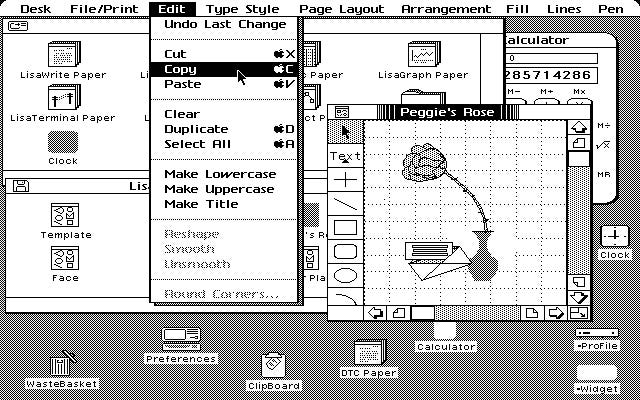
Design had one of the main focuses on translating machine language and structures into understandable metaphors (e.g. desktop, folders, files, buttons, etc.), a great choice that relies on association: I understand the structure (desktop/folders/files) because it’s something familiar, I can see it in the real world. A computer doesn’t actually work in that way, but that’s not important; we simplify the complexity by translating it into familiar concepts.
Design is a complex, holistic discipline. As digital products grew in complexity through the 2000s and 2010s, the discipline fragmented to handle the scale, and specialists emerged for each layer, which was necessary but had a side effect. The layer that became most visible and identifiable by stakeholders (UI, visual) started to be mistaken for the whole. We ended up with a synecdoche.
Interesting analysis on the UX/UI tension has been discussed for years now, since it has been a source of frustration for designers for a long time.
The loss of strategic centrality of design disciplines has been widely explored, and the feeling is that UX is increasingly a byproduct of business objectives rather than the driving force. There is a fundamental shift in responsibilities and a transfer of design control from designers to algorithms, automated tools, and business stakeholders.
The flip side of specialisation.
Specialisation led to knowledge silos, where, e.g. UX designers only care about translating information into maps and wireframes, that UI specialists would then “dress”. An evident gap between the two was that look and feel, and behaviours became more focused on the effect that they may have rather than the significance they should have carried (think about the now defunct “Neumorphism” or the more recent “Liquid Glass” from Apple).
Another side effect was the narrow scope of design, especially in the agile context, where the focus for UX became the single journey or the sub-journeys rather than the experience as a whole.
Experience design cannot work without a proper visual and interaction layer, as well as information architecture, content, etc., all grounded in research and experimentation.
A good design needs all those elements, all collaborating to reduce the complexity and enable people to achieve what they need to. This is the key point: understanding what people need. The key is empathy.
Flipping the paradigm.
Interestingly, now machines seem to be able to understand our language, completely flipping the paradigm, so in the future, we will need to understand the value of spending time reimagining such metaphors and whether they will still be relevant.
If the machine can understand us, should we still focus on making it understandable to us?
On the topic, it’s worth reading Maximillian Piras article on the evolution from command line to GUI to conversational interfaces, and what the next abstraction layer means for designers and Jacob Nielsen’s reasoning about how autonomous agents will shape user experience.
It’s worth noting that all the current AI models available to the public still rely on good-old metaphors to solve a complexity problem and make themselves intuitive to use.
The “Chat Interface” is actually a technological regression. In the 90s, we had CLI (Command Line Interfaces) — just text, then we had GUI (Icons/Windows). Now, with AI, we’ve gone back to text (LUI), but we’ve dressed it up in the Metaphor of Conversation to make it understandable.

We use the “Button” and “Icon” because they are Action Signifiers. The button is the “Handle” on the door; it still has the role of an affordance. Should I push or pull? We still need that “handle” to open the “door”.
So, what can we do?
In the meantime, there are two interesting developments:
Designers can really focus on the systemic and service level, so rather than focusing on details or partial journeys, we can focus on complex journeys involving multiple systems and touch-points, basically focusing on what was called Service Design. People use products for the outcome, not for the product itself, and the single product is usually just one of the service’s parts.
There are tons of products where it’s clear that whoever built them believed that a clean UI and decent usability were enough to grant a great experience. The issue is that usually you end up with very clean and polished UIs on extremely convoluted journeys.
An example.
A real-life example is the incredible and commendable effort made in Italy to digitalise services for residents. In recent years, they invested heavily in digital transformation, and now you can do pretty much everything online. They also built up an agency to create a solid design system to improve accessibility, usability, and, in general, simplify the interaction with the public administration.
(Ironically, accessibility is presented as a key objective, and yet, all the guides are in downloadable PDFs, which are notoriously worse than HTML versions when it comes to accessibility.)
I recently had to deal with some of these services, and this is just one example: you can access your personal data using your Digital Identity Document (Carta d’Identita Elettronica — CIE) however, to do so you need to get a PIN and a PUK number, half of which comes when you try to access it for the first time, the other half was on the paper requests you submitted when applying for the document.
Do I still have it? Did I have a notion of the importance of such a number when I requested the card? And what about the elderly, who are generally the ones who most need to access some of the services? (e.g. pension, health records and so on).
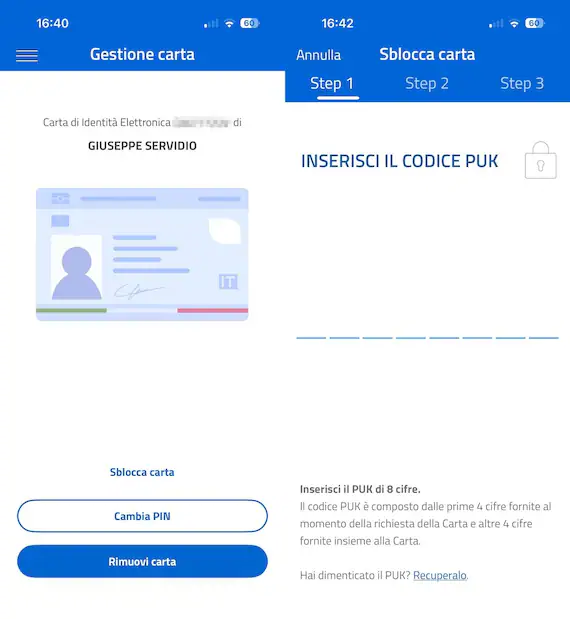
Basically, the feeling is that they concentrate on the single bits, making them flawless, but not on how they connect, nor how people will actually experience the service as a whole.
Fixing each component in isolation is not enough if the system connecting them is broken — and until now, designers rarely have had the bandwidth to address both simultaneously.
That’s where we will need to concentrate: how multiple products interact to deliver an outcome, which is what people are really after.
“The self-serving bias rules many situations, but, surprisingly, it doesn’t work when it comes to computers and applications! In the “human-computer” interaction, users tend to attribute the success to computer technologies, at the same time blaming themselves for failures.”
Lucy Adams, Why Users Blame Themselves for Designers’ Mistakes
Crucially, I was able to observe those events happening, and the people involved when they unfolded. If I just asked those people, they would tell me — and they did it anyway — that it’s their fault, they are old/not skilled/not familiar with, etc.
The speed factor.
It’s undeniable that the interface will still be pivotal, and we need to ensure that each part is learnable, understandable, usable, satisfactory and so on. Here we have another opportunity: we can create prototypes that we can test in hours rather than days, speeding up the process, and being able to get even more data to design better products, rather than spending days on Figma to mock up all the scenarios of a single journey just based on assumptions.
We can get data faster, we can iterate faster, we can test on multiple connected journeys, and we can collaborate with engineers to build nearly production-ready prototypes. The key is not just the speeding of the process, but the amount of data we can get and use, shortening the feedback loop. I guess user recruitment, historically a fierce pain point in most cases, will become even more critical.
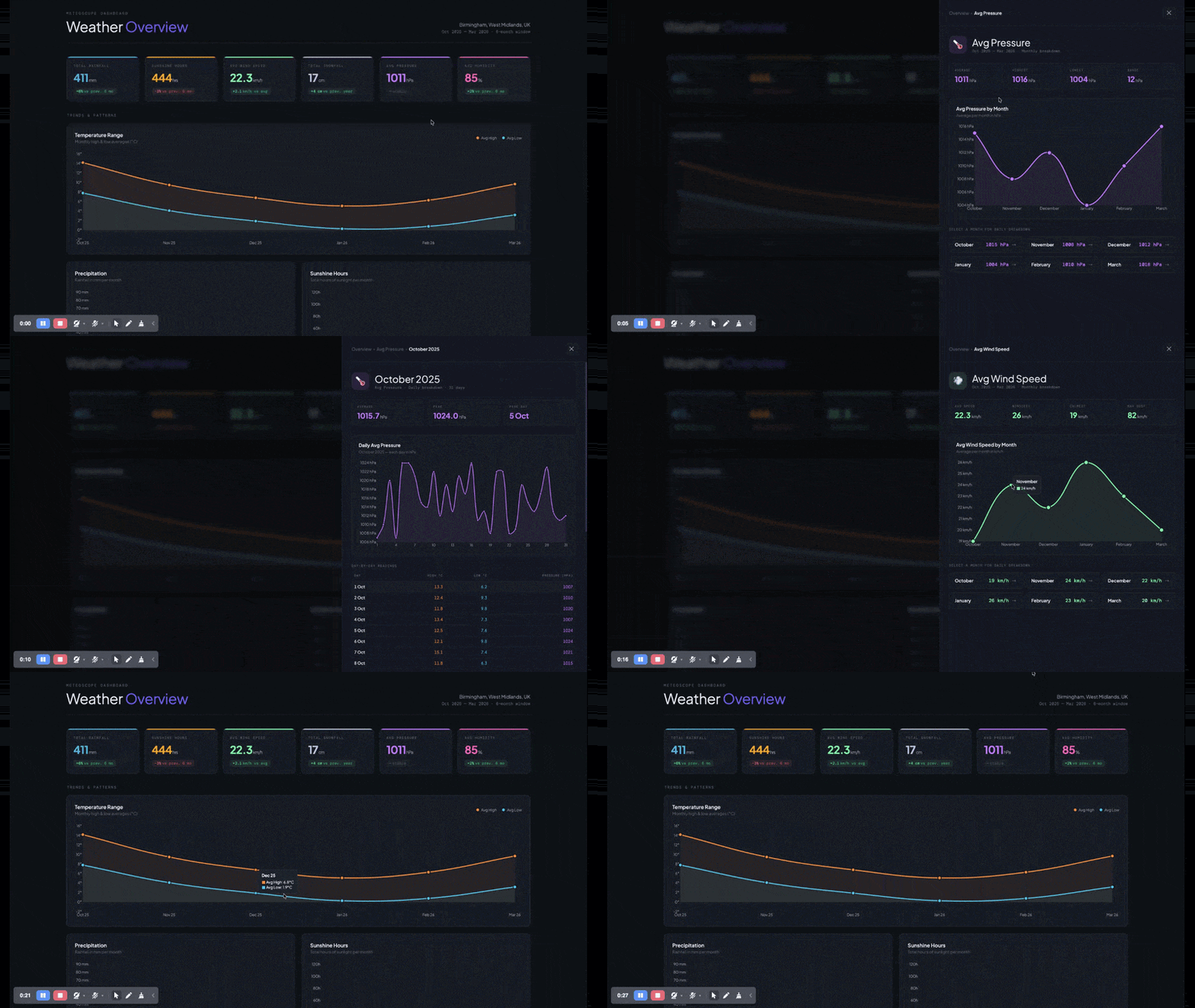
But before asking AI to build something for us, we need to have a clear idea of what we want to achieve, the shape of the system, the touch-points we need to include, the boundaries and constraints we may have, but most importantly why we are building it, and what is really needed for people to be able to — literally — enjoy it.
AI enables an unprecedented level of experimentation, so let’s experiment.
What would you design if you weren’t constrained by what was buildable, or testable, or justifiable to a stakeholder in a two-week sprint? And how could you prove the value of your hypothesis?
One of my former bosses once told me: “Prove me the value, and we’ll make it possible”.
The starting point
For research, it’s a bit more complicated. AI gives us tons of opportunities, from automated analysis to synthetic users; however, there are a few points that we should consider:
AI is a probabilistic tool, where statistics play a huge part. For quantitative research, it can make sense — to a certain point — especially for heavy-lifting, but does it for qualitative?
I’ve used multiple instances of AI to analyse interviews, usability testing and similar methods, and they are impressive, yet quite shallow. Some nuances got lost, points raised by a single user that, investigated more, become crucial for most users, but they simply didn’t mention it for various reasons (biases and noise play a key part in how we create our judgements, hence on how we tell our stories).
I’ve tested AI for Heuristic evaluations, Cognitive Walk-through and Expert Reviews, and the results were quite good, but average. In our discipline, it often happens that a very small change in a well-crafted journey leads to a massive improvement, and most of the time, it is the most surprising and less evident bit.
We need to see what we design from multiple perspectives, from a bird’s-eye view (Service design) to a magnifying glass (micro-journeys and interaction, whatever shape it will have). This means that we need to have a real, clear understanding of our users. We need to have empathy. We need to build empathy, and data alone are not enough.
We need to meet our users, understand what they want to do and in which context, and we need to witness their efforts.
Just having a report of the tale of what they are supposed to do doesn’t create empathy, just a shallow understanding of the sequence of tasks, and this is why I’m very sceptical of synthetic users, although I admit to having a very limited experience with them.
“In a controlled experiment exploring the use of ChatGPT in UX design, Zhou et al. (2024) found that AI-assisted tools significantly reduced the cognitive load of designers’ work, such as synthesising large volumes of user research data into actionable insights. However, they also noted that AI-generated outputs often lack depth in contextual understanding, requiring designers to critically assess and refine AI-driven suggestions to ensure alignment with user needs and ethical considerations”
Hyunyim Park, AI-Assisted Designers or Designer-Assisted AI? Human–AI Collaboration in Service Design
Digital Twin vs Design Twin.
However, my scepticism toward synthetic users is balanced by an exciting possibility: the creation of the ‘Design Twin.’ If we move away from using AI to simulate ‘generic’ personas and instead use it to synthesise the vast, unmanageable quantities of qualitative data we can gather from real human beings, transforming research from a static milestone into a living infrastructure.
The concept of Digital Twin in design already exists, typically describing a model built from demographic data, behavioural analytics, survey responses, and aggregated patterns — a sophisticated synthetic persona that mirrors a user type statistically. It’s built from what people do and say they do at scale and can be used for any product, but it currently shows important limitations.
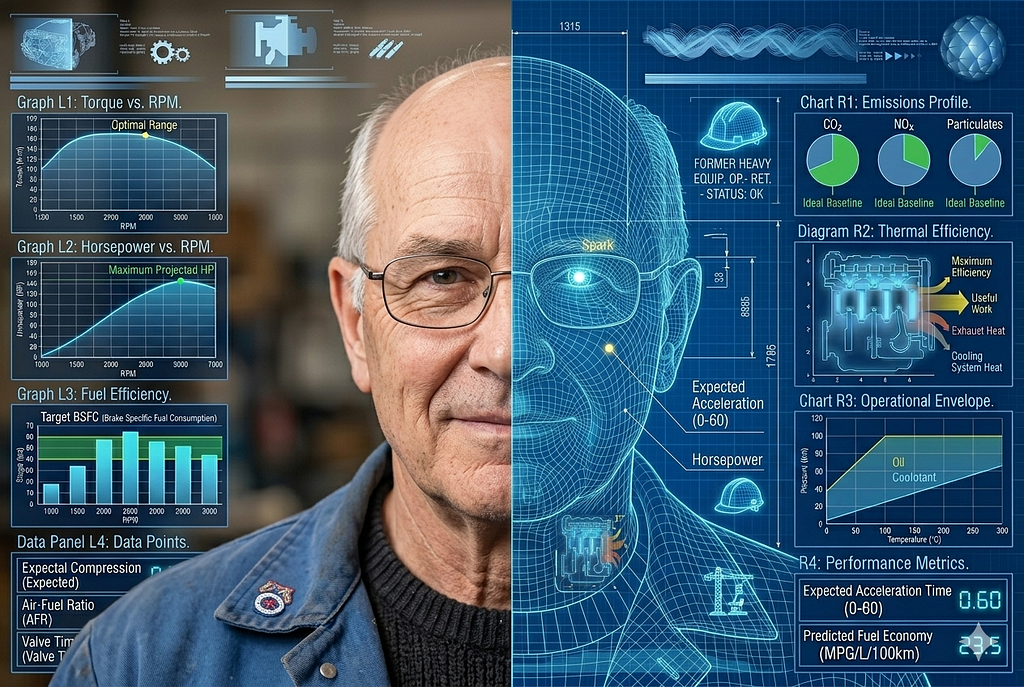
Expanding the concept and grounding it in direct research practice would create something different: Design Twin should be built from the qualitative residue of witnessed human experience, hesitations, body language, the gap between what someone says and how they say it, and the frustrations they don’t articulate but demonstrate.
It’s grounded in a specific product audience, must be continuously refreshed, and exists precisely to carry the empathetic understanding that a designer builds through direct contact into the day-to-day design process, where that contact isn’t always possible.
The Design Twin doesn’t replace the researcher; it ensures the researcher’s hardest-won insights remain active and consultable long after the fieldwork ends.
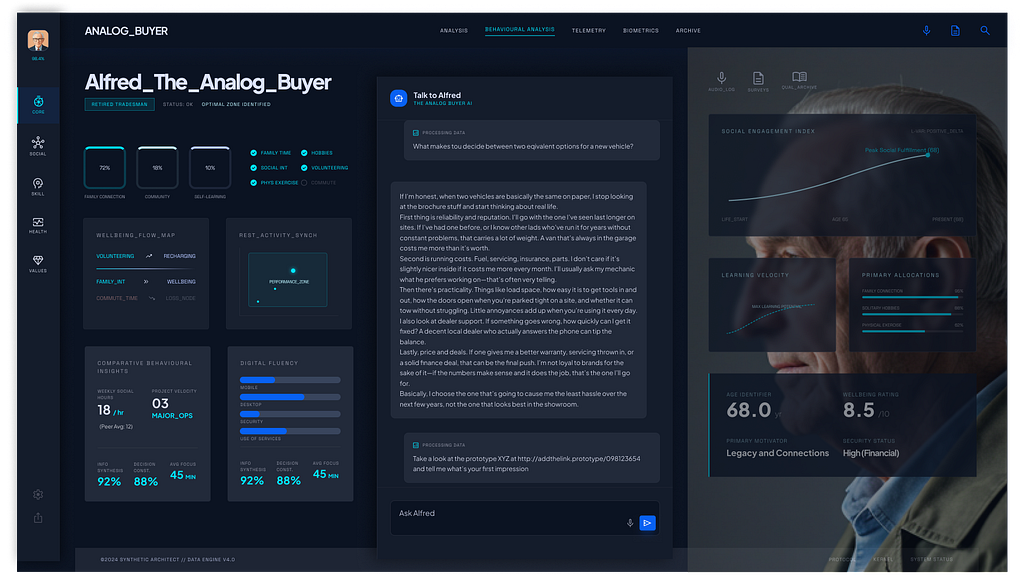
Imagine feeding hundreds of hours of deep, empathetic interviews with elderly citizens in Milan, plus demographic stats, results of usability testing, and analytics into a specific, closed, narrow model to create faithful representations of their attitude and behaviour.
The resulting ‘Design Twin’ isn’t a replacement for those people, but a high-fidelity proxy for day-to-day design decisions — a consultable repository of their specific frustrations, linguistic nuances, and cognitive hurdles. This may contribute to a parallel research process: while the designer continues to ‘witness the effort’ of real people to uncover the shifting soul of the experience, the AI scales those insights, allowing us to test flows against a persona that is continuously evolving.
The ‘Design Twin’ doesn’t absolve us of the need for empathy; it ensures that the empathy we’ve harvested doesn’t sit gathering dust in a 50-page PDF, but remains an active, vocal participant in the delivery process.
Risks and considerations.
However, the ‘Design Twin’ carries a terminal risk: Static Decay. Humans are not fixed variables; we are a messy, evolving response to an ever-changing world. If we rely on a synthetic user built from six-month-old data, we aren’t designing for the person as they are today, but for a ghost of who they were.
This always happens. In my personal experience, I’ve seen people shift their mindset dramatically in less than six months. When we introduced reservations within a vehicle checkout, most people were puzzled.
A reservation is required, especially for finance-funded vehicles, because lenders can take up to 72 hours to approve or decline an application, and retailers need a certain level of commitment to secure the car in the meantime. But most users were confused about why they should reserve something that they are actually buying. When the process became more common across the industry, people started expecting reservation as the first step in the journey. The landscape changes constantly, and people adapt quickly.
The most dangerous manifestation of this is the Infinite Feedback Loop. Imagine a world where a user recruitment agency, seeking efficiency, populates its database with ‘high-fidelity’ AI participants. On the other side, a design firm uses its own AI agents to ‘interview’ them. We enter a hall of mirrors where machines are validating the assumptions of other machines, entirely divorced from the friction of reality.
This is the death of design where we exchange clarity for comfort, we prioritise infinite speed for shallow understanding. Our decisions will be grounded on data, but our decisions will be built on unreliable foundations, and we won’t have visibility of this.
Make it right.
To prevent Static Decay, the ‘Design Twin’ must be treated as a living organism that requires a constant ‘blood transfusion’ of raw, unmediated human interaction, which means continuous discovery, observing the users, talking with them, taking note of what would be missed, hesitations, body language, inconsistencies between what is told and how it is told, and then feeding the data to the specialised model and ensure that it keeps reporting the data in a rich nuanced way. Our role shifts from just interviewing users to being the guardians of the data’s vitality, ensuring that the nuances we feed the machine are still true to the pulse of the street.
This means that we still need to talk to people, observe them, understand what they are trying to achieve — we need to do what we should have always done.
Our real differentiator, what makes us valuable in any business, is a real understanding of what people actually need and desire, which is precisely where AI has limits, and where human judgment, empathy, and qualitative research become irreplaceable.
We need to build empathy, not sympathy, not compassion. As designers, we should be aiming for something deeper: the cognitive ability to understand another person’s perspective, the affective capacity to share their feelings, and the emotional awareness to recognise what those feelings mean in context. Data alone can’t build that.
Practical implementation.
There is another important element. This must be a process that fits into today’s shrinking timelines. It’s not really thinkable to block everything to get data. There are two concepts that I’ve found very useful; obviously, they need to be adapted to the context, but they work well in this frame:
- Continuous Discovery (see the work of Teresa Torres) is an ongoing practice of learning about customers and their needs through frequent customer interaction, not occasional research sprints separated by long cycles of development, to make product decisions grounded in real customer insights delivered continuously throughout the lifecycle of the product
- Parallel Research Stream, where research runs in parallel with design/development streams (see, among others, Austin Govella).
In practice
During a conference back in November, I had the pleasure to attend a talk by Peter Skillman, the Global Head of Design at Philips (I suggest watching the talk, which, luckily, has been recorded), and he described how they sorted a huge problem: performing MRI on kids was really complex, and often they must be performed with the patient sedated, which is a risk for the kid, and it also affects the results. They spent time observing what was happening, and they discovered that the machine was scary for the little patients. They decided to build machines of the right size and look for younger patients, plus they designed a journey that, thanks to storytelling, helped kids trust the process and the machine more.
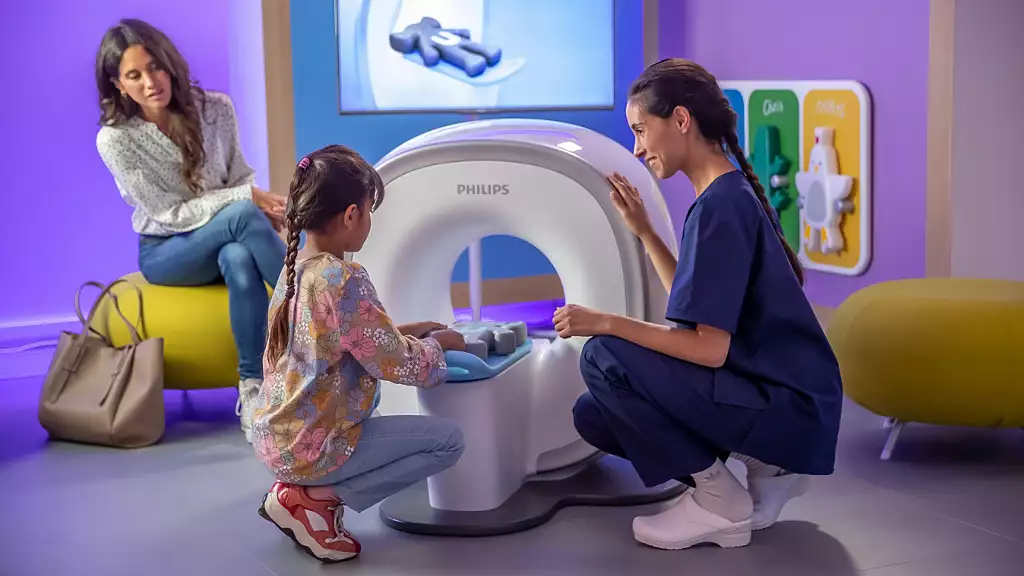
They understood their users at a deep level, and they designed the experience end-to-end.
They didn’t start with a screen. They started with a scared child. The tools may change. That starting point shouldn’t.
References:
Daniel Kahneman, Olivier Sibony and Cass Sunstein, Noise: A Flaw in Human Judgment, 2021
Sarah Gibbons and Huei-Hsin Wang, Design Process Isn’t Dead, It’s Compressed, 2026
Ax Ali, Ph.D. The UX identity crisis. Shifting-T model of knowledge for renaissance technologists, 2021
Don Norman, The Design of Everyday Things, 1988
Vannevar Bush, As We May Think. 1945
Stuart Card, Allen Newell, and Thomas P. Moran, The Psychology of Human–Computer Interaction, 1983
Hyunyim Park, AI-Assisted Designers or Designer-Assisted AI? Human–AI Collaboration in Service Design, 2025
Marzia Mortati and Giovanna Viana Mundstock Freitas, AI in Service Design: A New Framework for Hybrid Human–AI Service Encounters, 2025
Dolphia, Why AI is exposing design’s craft crisis, 2025
Raphael Dias, UX as a byproduct of existential marketing, 2019
Peter Skillman, WebSummit 2025 keynote Peter Skillman Philips, 2025
UX Planet, The Rise and Fall of Neumorphism, 2025
Jacob Nielsen, Hello AI Agents: Goodbye UI Design, RIP Accessibility, 2025
Raluca Budiu, Evaluating AI-Simulated Behavior: Insights from Three Studies on Digital Twins and Synthetic Users, NNG 2025
Konstantinos Papangelis, The Synthetic Persona Fallacy: How AI-Generated Research Undermines UX Research, 2025
What AI exposes about design was originally published in UX Collective on Medium, where people are continuing the conversation by highlighting and responding to this story.