

Maya is the industry-standard software for animation, video games, and film, and it has a reputation for being hard to learn on your own. The good news is that a lot of the best help is free. The r/Maya subreddit is a great place to ask questions and learn from other users, and the Maya Official Learning YouTube Channel publishes tutorials straight from Autodesk.
If you want something more structured, Class Central’s catalog holds over 300 Maya courses, and we’ve compiled the best of them in this Best Courses Guide (BCG). Our picks come from Autodesk itself, an art school, and popular providers like Udemy and Domestika. One of them is free, straight from Autodesk, so you can get a feel for the software before you spend anything.
All of the courses in our list are taught by working industry professionals, and they focus on practical, hands-on projects rather than tool tours, so you’ll be building something you can show from the first few lessons.
Click on the shortcuts for more details:
- Which Maya Course Is Right for You?
- Why You Should Trust Us
- Courses Overview
- How We Made Our Picks and Tested Them
Which Maya Course Is Right for You?





Why You Should Trust Us
Class Central, a Tripadvisor for online education, has helped 100 million learners find their next course. We’ve been combing through online education for more than a decade to aggregate a catalog of 250,000 online courses and 250,000 reviews written by our users. And we’re online learners ourselves: combined, the Class Central team has completed over 400 online courses, including online degrees.
Courses Overview
- The Maya subject on Class Central lists 301 courses
- Courses in this guide have more than 90K enrollments
- Autodesk’s own intro course is free to take
- The most featured provider is Udemy with 6 courses.
Best Overall: Complete Guide to 3D Animation in Maya for Beginners (Udemy & Skillshare)
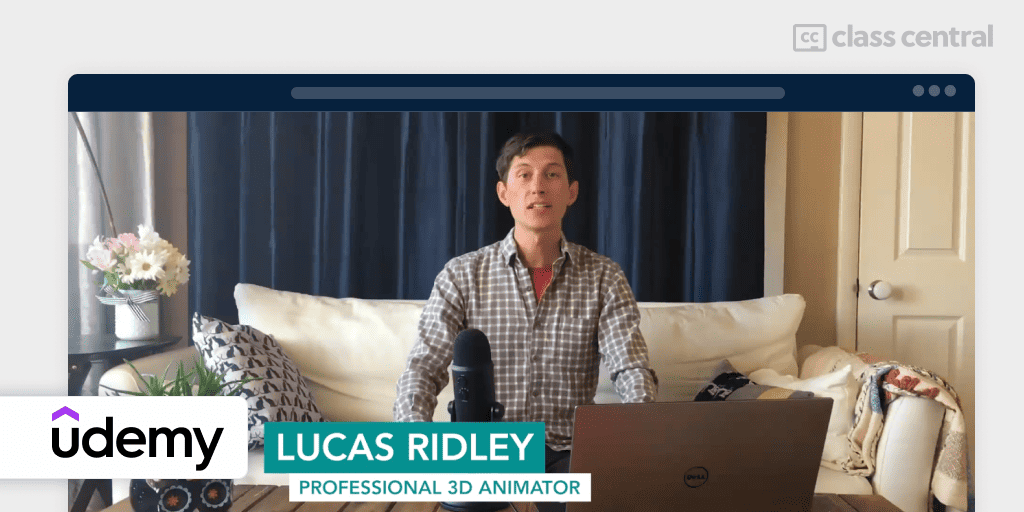
Maya for Beginners: Complete Guide to 3D Animation in Maya is an in-depth course that equips you with what you need to launch your 3D animation projects, demonstrated through an engaging Dia de Los Muertos-inspired scene featuring a fully animated skeleton.
It’s led by professional 3D animator Lucas Ridley, known for his contributions to Hollywood films such as Steven Spielberg’s Ready Player One. The course is designed to leave you confident in your abilities and ready to animate an entire project from scratch. Lucas’s teaching reputation extends to both Udemy and Skillshare.
This course is also available on Skillshare separated by categories: 3D Modeling, Texturing, Rigging, Animation, and Dynamic FX.
This course covers:
- Object modeling and shading
- UV creation
- Texturing
- Lighting and shadow crafting
- Rendering
- Character rigging and animation
- Motion graphics animation using MASH
- Simulating dynamic effects
- Scene assembly
- Bonus animation demos
- Project files and support.
“If you want to get into 3D, get this course. The teacher is great, he explains everything thoroughly… the projects are chosen perfectly to gain the basic knowledge needed to get through every successive lesson of the course, and almost without noticing, you find yourself having a lot of knowledge and eager to apply it.” Simone I., Udemy learner.
| Provider | Udemy |
| Instructor | Lucas Ridley |
| Level | Beginner |
| Workload | 29-30 hours |
| Enrollments | 43K |
| Rating | 4.6 (8.6K) |
| Certificate | Available |
Best Free Official Intro: Intro to Maya (Autodesk)

If you want to find out whether Maya suits you before paying for anything, start with the source. Intro to Maya is Autodesk’s own free course, and it does the one thing most beginner courses rush past: it teaches you to be comfortable in the interface.
In about 90 minutes it walks from navigating the interface and working with scenes through modeling basics, sculpting, materials, UV layout, and animation basics, then finishes with lighting, rendering with Arnold, and a look at Bifrost and pipeline integration. That last part is unusual for a free intro. Most beginner courses stop at rendering a single object, while this one shows you where Maya sits in a studio workflow.
Treat it as orientation rather than training. There’s no certificate and no project to hand in, and 90 minutes won’t make you an animator. What it will do is make the rest of this guide much easier to follow, because you’ll already know what the software is called when someone says “Outliner” or “Hypershade.”
| Provider | Autodesk |
| Level | Beginner |
| Workload | 1-2 hours |
| Cost | Free |
| Certificate | None |
Best Art-School Foundation: 3D Modeling and Animation Course with Maya (Kadenze)

Most Maya courses teach you which buttons to press. 3D Modeling and Animation Course with Maya: Tradition Meets Technology teaches you why you’d press them, and it’s the single most bookmarked Maya course in our catalog with over 5,000 saves.
It comes from the California College of the Arts and is taught by Valerie Mih. The framing is what sets it apart: 3D modeling and animation grew out of traditional design and animation methodology, so the course keeps tying Maya’s tools back to that lineage. You’ll cover modeling as virtual sculpture, materials and texture, the classical principles of animation applied to a 3D environment, lighting for mood, and camera and rendering choices. Along the way it asks you to think about the story behind the object you’ve chosen to model, which is the sort of question a tool tutorial never raises.
At 52 hours it’s the longest pick here, and the priciest: $300 to buy outright, or $20 a month on a Kadenze Premium membership, with only the first session free to preview. A second caveat worth knowing: the course was built in 2016, so the Maya build on screen is several versions behind. The interface has moved on, but the design thinking hasn’t, and that’s what you’re here for. If you want a current interface, pair it with the Autodesk intro above.
| Provider | California College of the Arts via Kadenze |
| Instructor | Valerie Mih |
| Level | Beginner |
| Workload | 52 hours |
| Cost | $300, or $20/month membership (session 1 free) |
| Rating | 4.6 (5 ratings) |
| Certificate | Available |
Best for Younger Learners: 3D Modeling & Character Animation with Maya (Udemy)
Build your own 3D worlds, creatures, and characters. The course, 3D Modeling & Character Animation with Maya, is designed specifically for high school students and beyond. It’s a comprehensive guide to Maya’s vast capabilities, covering polygonal modeling, texturing, rigging, animation, lighting, and rendering, including character and creature design.
The course is led by Ben Taylor, an experienced educator from Meridian Technical Charter High School. Taylor’s teachings are project-based, meaning you’ll be getting your hands dirty with practical tasks involving characters such as Evil Kermit, Stinkfly, Froggy, Big Chungus, and Shrek. If you’ve been intimidated by Maya, that low-stakes, meme-friendly framing is the point: this is the least serious course in the guide, deliberately.
“If high school freshmen can learn to design, code, and animate, then so can you!” Taylor, Udemy learner.
| Provider | Udemy |
| Instructor | Ben Taylor |
| Level | Beginner |
| Workload | 12-13 hours |
| Enrollments | 10K |
| Rating | 4.5 (463 ratings) |
| Certificate | Available |
Best for Realistic Scenes: Learn Maya, A Beginners Guide to Creating Realistic Scenes (Udemy)
If your goal is to learn the ins and outs of 3D modeling, UV unwrapping, texturing, lighting, and rendering for scenes and objects, then Learn Maya – A Beginners Guide to Creating Realistic Scenes is an excellent choice. At 4.7 it’s the highest-rated course in this guide. It’s led by Bhaumik Patel, a visual effects artist with 16 years of computer graphics experience, including four years teaching at Escape Studios.
Patel’s course offers two comprehensive projects:
- The Toy Train Project: An ideal starting point for beginners, this project guides you to create and animate a toy train model. You’ll work hands-on with Maya’s various editors and learn the basics of object creation and manipulation.
- The Wizard Desktop Project: Perfect for those ready to delve deeper. You’ll construct a custom desktop scene, exploring a variety of modeling tools, texturing, shading techniques for different materials, and advanced lighting strategies. You’ll also learn to create atmospheric effects and render a polished, final image. The project is designed to inspire your creativity, offering plenty of freedom in scene composition, lighting, and overall design.
The course materials were last updated for Maya 2018, so a few menu locations have shifted in current versions. The modeling and lighting workflow still holds up, which is why it stays in the guide.
| Provider | Udemy |
| Instructor | Bhaumik Patel |
| Level | Beginner |
| Workload | 18-19 hours |
| Enrollments | 10K |
| Rating | 4.7 (1.5K) |
| Certificate | Available |
Best for Character Expression: Character Animation and Expression with Maya (Domestika)

Step into the animated universe with Sagar Arun’s Character Animation and Expression with Maya. A renowned animator behind titles like Frozen 2 (2019) and Spirit: Untamed (2021), Sagar invites you to learn the crucial principles of animation and infuse personality into your characters.
In this engaging course, Sagar shares the essential animation techniques and application tips using Maya. You’ll learn how to design and express a character’s emotions vividly, bringing them to life. The path runs from ball-bounce fundamentals and adding a tail through blocking, spline, and polish, which is the working animator’s actual sequence.
You’ll wrap up the course with a creative project: creating an expression test with a character rig using Autodesk Maya’s animation tools. To get the most out of this course, you’ll need a computer with Maya installed with the aTools plugin (up to Maya 2019) or the animBot (paid) plugin (for newer versions), and a character rig. That prerequisite is why we treat this as an intermediate pick even though Domestika lists it as beginner: you need to arrive with a rig in hand.
“If you’ve ever seen an animation that made you laugh or feel a certain emotion, that means the animator is doing their job really well.” Sagar, Domestika learner.
| Provider | Domestika |
| Instructor | Sagar Arun |
| Level | Intermediate |
| Workload | 4 hours |
| Enrollments | 2.6K |
| Rating | 64 ratings |
| Certificate | Available |
Best for Game Character Art: Realistic Character Modeling for Games in Maya and ZBrush (Udemy)
Every other pick in this guide keeps you inside Maya. Real character work doesn’t, and Realistic Character Modeling For Game In Maya and Zbrush is the one course here that teaches the handoff between the two tools that game and film character artists actually use together.
It’s taught by Nalin, a modeling and texturing artist who started as a clay sculptor and has taught since 2008 at ZICA, Reliance Education, and Arena Animation, with studio time at Lakshya Digital and Dhruva Interactive. That clay background shows in how much attention the course gives to anatomy and to cloth.
Over 21 hours you’ll build a realistic human character from scratch:
- Character body, jacket, pant, and hat modeling in Maya
- Hard-surface gun modeling and holster detailing
- Body sculpting and realistic skin detail in ZBrush
- Hair, beard, and eyebrows with Fibermesh
- Head and hand anatomy
- Shoe modeling with ZModeler.
The section on cloth folds is the part learners single out, and it’s a good example of what separates this from a general modeling course: it teaches pipe folds, drop folds, and tension folds as named, learnable things rather than something you eyeball. Both courses assume you’ll bring Maya basics; start with one of the beginner picks above if you’re new.
“Really clear and up to date. Glad i purchased this course. Very impressed!” Kyle O., Udemy learner.
| Provider | Udemy |
| Instructor | Nalin |
| Level | Beginner to Intermediate |
| Workload | 21-22 hours |
| Enrollments | 10K |
| Rating | 4.6 (1.6K) |
| Certificate | Available |
Best for Effects and Simulation: Maya for FX Artists (Udemy)
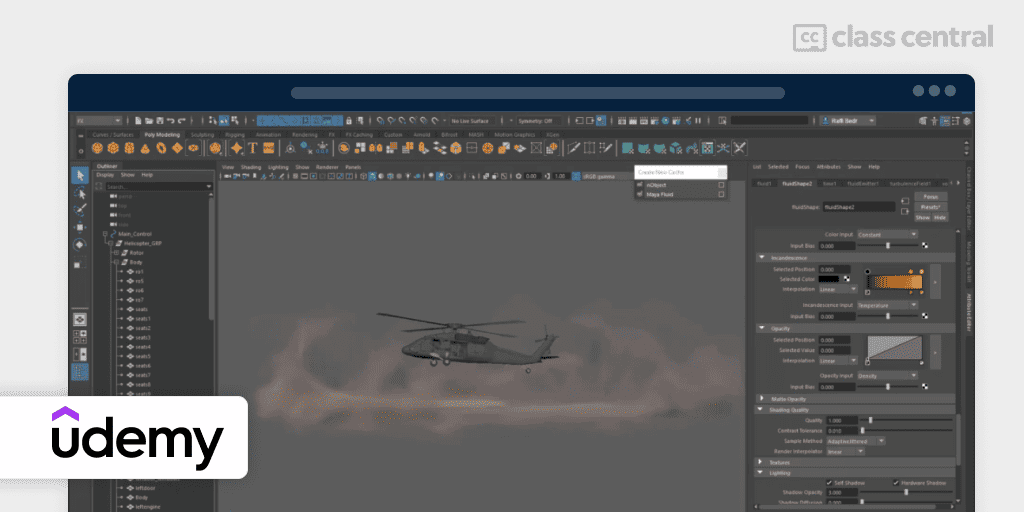
Dive headfirst into Maya with this comprehensive project-based course designed for FX artists, Maya For FX Artists – Projects Based Course. Instead of one big build, it teaches through a series of short, high-quality projects, which keeps the pace up and means each new Maya feature arrives with a reason to use it.
The course is spearheaded by Raffi Bedross, an experienced VFX artist and instructor with 18 years of industry experience. Under Bedross’s guidance, you’ll:
- Learn 3D modeling basics
- Manipulate 2D & 3D containers
- Explore advanced techniques
- Experiment with nParticles, expressions, and Maya fields
- Create simple and complex effects
- Simulate cloth on characters
- Model landscapes with xGen.
The projects are specific enough to be useful as reference later: helicopter landing dust, torch fire, rain, rocket smoke, a wheel burnout, dry sand with nParticles. There are Bifrost and nCloth sections too. The course says no previous knowledge is required, but the material moves quickly through fundamentals to get to the effects, so we’d still put a beginner course before it.
“The instructor is very knowledgeable on the topic and takes you step by step to achieve the results in each section… I was thinking that these effects can only be done in Houdini but Maya too is a very robust software to do these effects.” Denis L., Udemy learner.
| Provider | Udemy |
| Instructor | Raffi Bedross |
| Level | Intermediate |
| Workload | 8-9 hours |
| Enrollments | 4.5K |
| Rating | 4.4 (631 ratings) |
| Certificate | Available |
Best for Scripting and Automation: Python For Maya, Artist Friendly Programming (Udemy)
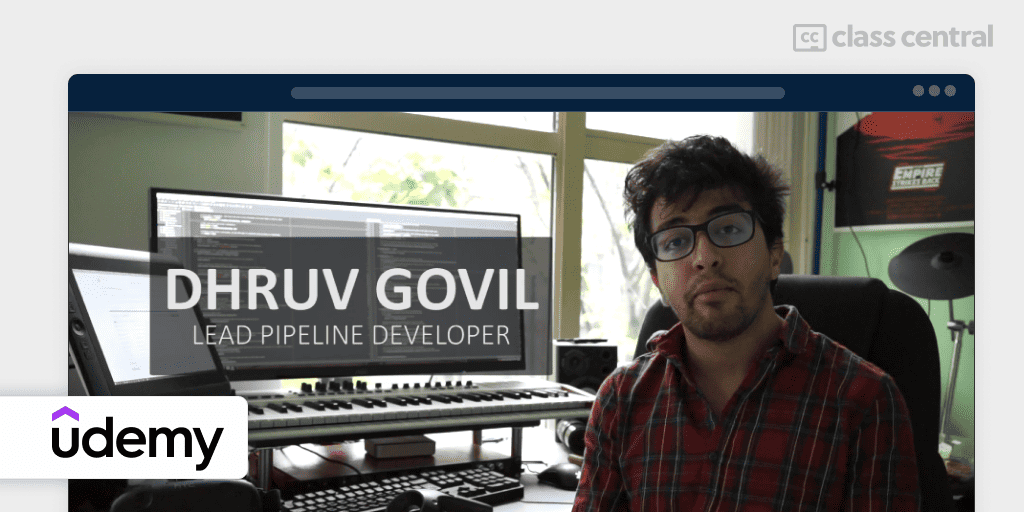
Take your Maya skills to the next level with Python, the leading language for scripting and automation in 3D software. This course, led by Dhruv Govil, a Lead Pipeline Developer with credits on blockbuster visual effects films and animated features, is your step-by-step guide to harnessing the power of Python in Maya.
In this course, you will learn:
- Python code fundamentals to advanced user interfaces
- Automate tasks with Maya Cmds and Qt
- Suitable for beginners and those with prior knowledge
- Projects focused on modeling, animating, rigging, or lighting
- Learn data storage, command line tools, and workflow setup
- Dive into Qt framework, creating custom widgets and more.
The projects are the selling point, because they’re tools you’d genuinely keep: an object renamer, a gear creator, an animation tweener, a controller library, and a light manager. As a bonus, the course includes access to a wealth of resources, including software links, source code for projects, and supplementary educational resources.
You don’t need programming experience, but you do need to know your way around Maya first, which is why we list this as intermediate.
One satisfied student, Jax Vanden H., praised the course as “absolutely great,” adding, “For those who have familiarity with both [Python and Maya], it’s a great course to get you started on bridging the two together.”
| Provider | Udemy |
| Instructor | Dhruv Govil |
| Level | Intermediate |
| Workload | 8 hours |
| Enrollments | 9.3K |
| Rating | 4.4 (1.8K) |
| Certificate | Available |
How We Made Our Picks and Tested Them
Trying to find “the best” can be daunting, even for those of us who live and breathe online courses. Here’s how I approached this task.
First, I combed through Class Central’s Catalog, reddit communities such as r/Maya, and the internet to find a variety of free and paid open courses, some with certificates.
I extracted information from course syllabi and reviews, and compiled their ratings, leveraging the Class Central database with its thousands of course ratings and reviews written by our users as well as available course provider ratings. I watched some course videos to sample courses I hadn’t already taken.
Then, I defined the scope for these recommendations. A Maya course can cover various topics. I chose top courses from a range of sub-fields: a free official orientation from Autodesk, an art-school foundation in design and animation methodology, 3D animation fundamentals, realistic scene creation, character animation and expression, game character art across the Maya and ZBrush pipeline, effects and simulation, and Python scripting.
On this update, I re-checked every course against current catalog data, dropped one pick that overlapped another, and added three: Autodesk’s own free intro, the Kadenze art-school course, and a character-art course that covers the Maya to ZBrush handoff.
Ultimately, I used a combination of data and my own judgment to make these picks. I’m confident these recommendations will serve as an excellent learning path to become an intermediate Maya 3D animator.
The post 9 Best Autodesk Maya Courses for 2026: Model, Rig, Animate, Simulate appeared first on The Report by Class Central.