
Web development involves designing, coding, and maintaining websites using a variety of programming languages such as JavaScript, HTML, CSS, PHP, and more. Three of the most important languages used in web development are HTML, CSS, and JavaScript, which are universally used for creating front-end applications.
Everyone learns differently, and I hope to provide you with a variety of courses to learn web development from start to an intermediate level.
Class Central recommends Responsive Web Design by freeCodeCamp as the best way to start learning HTML and CSS, and Foundations: Web Development by The Odin Project as a complete learning path to become a full-stack web developer with a follow-up course on full-stack JavaScript. Both platforms are interactive and self-guided, where you actually code things yourself.
If you need more guidance, with the presence of an instructor, Learn HTML and CSS and Learn JavaScript by Scrimba will provide you with lectures and an interactive platform to code along. However, they may not be suitable for complete beginners.
Once HTML, CSS, and JavaScript click, the usual next step is a framework. Scrimba’s Learn React is the free continuation I point people to, and it’s covered below. If you’d rather see the whole stack in one sitting first, freeCodeCamp’s Frontend Web Development Bootcamp gets you there in about 21 hours.
If you wish to start your journey in web development, read on to see my top picks!
Click on the shortcuts for more details:
- Top Picks
- What is Web Dev?
- Why You Should Trust Us
- Courses Overview
- Honorable Mentions
- What’s Next
- How We Made Our Picks and Tested Them
Which Web Development Course Is Right for You?





What is Web Dev?
Websites can range from single static pages of plain text to complex interactive web applications. Web development requires a basic understanding of HTML, CSS, and JavaScript, which are the three technologies at the heart of the web.
Web development is a growing industry. The U.S. Bureau of Labor Statistics projects a 7% increase in jobs for web developers and digital designers from 2024 to 2034, much faster than the average for all occupations, with about 14,500 openings a year over the decade.
The languages themselves stay in demand too. JavaScript is the most-used language among developers at 66%, with HTML/CSS close behind at 62%, according to the 2025 Stack Overflow Developer Survey.
Why You Should Trust Us
Class Central, a Tripadvisor for online education, has helped 100 million learners find their next course. We’ve been combing through online education for more than a decade to aggregate a catalog of 250,000 online courses and 250,000 reviews written by our users. And we’re online learners ourselves: combined, the Class Central team has completed over 400 online courses, including online degrees.
I (Kinjal) started learning web development in January 2022 with Mozilla’s front-end course, despite having no prior knowledge of HTML and CSS. Although I had some experience with Python, the prospect of learning HTML/CSS felt daunting and overwhelming, like any other new language. I was even intimidated by it.
Around the same time, Class Central announced an online bootcamp with Ramon and Jess as mentors. I enrolled in the bootcamp with the intention of returning to Mozilla or The Odin Project once I completed it. I nearly finished the Responsive Web Design bootcamp before moving on to learning about responsive layouts and design. I practiced my skills by replicating parts of websites I came across, using what I had learned.
While creating these webpages, I frequently referred back to Mozilla’s documentation, Kevin Powell, Web Dev Simplified, FollowAndrew, and a few other channels to gain a better understanding of concepts that still troubled me. These channels are among the best resources for learning web development, and I recommend subscribing to them for the latest updates and insights on HTML/CSS and JavaScript.
If you do need more help in understanding responsive layouts and positioning, I definitely recommend looking at the Best Free CSS Layout Courses.
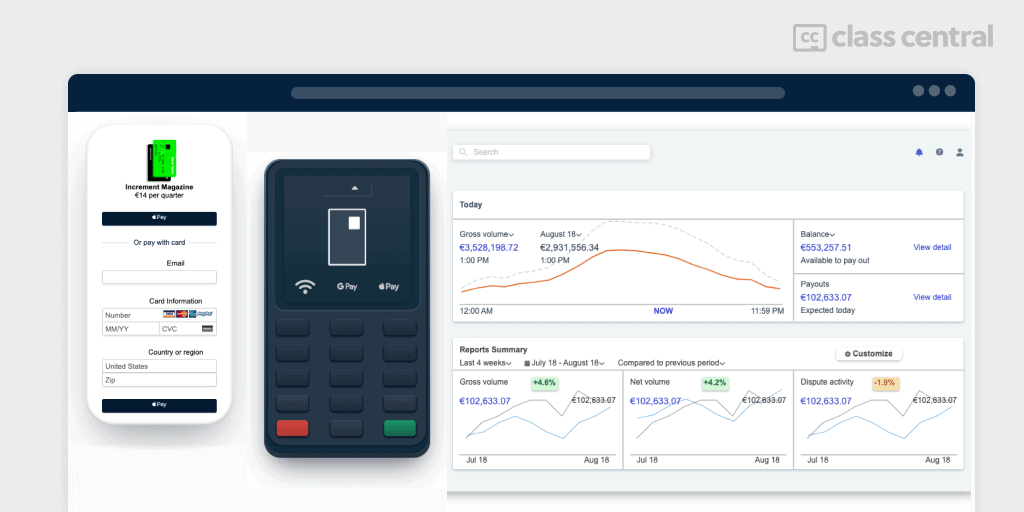
By the end of it all, I completed parts of almost all the courses mentioned below since they provide different ways of learning things, and I fell in love with HTML/CSS. Here are examples of a few of the things I’ve created recently:
Courses Overview
- Six of the eight picks are free, and two are paid: the Johns Hopkins course on Coursera, and Noble Desktop’s certificate at $7,995
- All of them start at beginner level, though Scrimba’s React course expects you to know HTML, CSS, and JavaScript first
- The free picks add up to well over 700 hours of material, and that’s before counting The Odin Project, which doesn’t publish an hour estimate.
Best Course for Beginners with Free Certificate (freeCodeCamp)
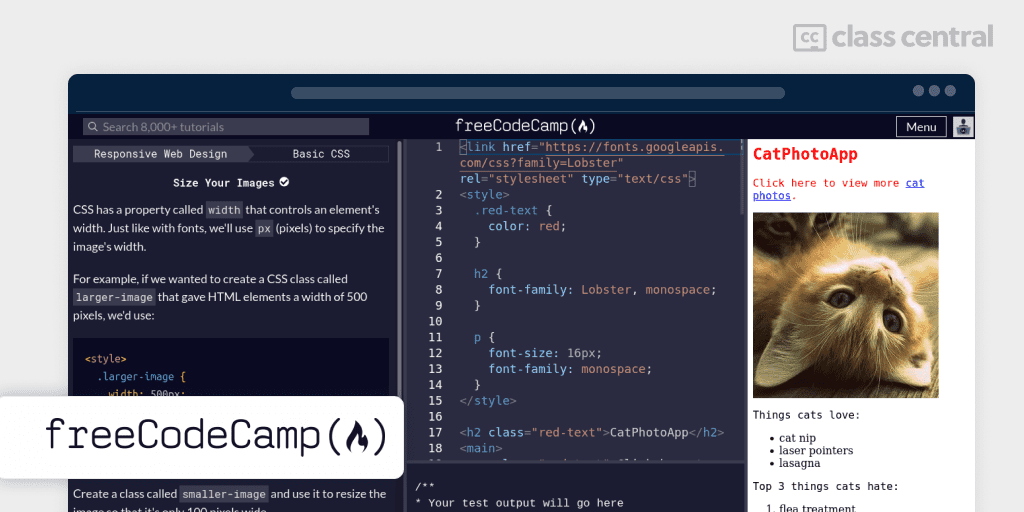
freeCodeCamp rebuilt its Responsive Web Design certification around projects rather than isolated exercises, making it a good resource for beginners who want to start coding without having to set anything up on their computers. The course covers the basics of creating simple websites and CSS artwork, introducing you to HTML and CSS syntax. Upon completion, you’ll receive a free certificate.
While this course is considered one of the best resources for web design, it may not provide sufficient understanding of the concepts for some. Some exercises might feel too prescriptive, and if you have basic knowledge of HTML and CSS, exploring other courses on this list might be a better option.
To make the most out of the course, it is recommended to install an Integrated Development Environment (IDE) like Visual Studio Code and create folders with project names and files inside them. As you progress through the course, copy the entire HTML and CSS code to review later. The interactive tool provided by freeCodeCamp opens each part of a project, allowing you to enter code precisely where required. However, this approach may be too direct for some who prefer to code alone.
Once you have completed this course, if you wish to create a fairly bigger project, you can look at Frontend Development – Create a Blog with HTML, CSS and JavaScript Algorithms and Data Structures from freeCodeCamp.
| Provider | freeCodeCamp |
| Level | Beginner |
| Workload | 300 hours |
| Rating | 4.6/5.0 (128 ratings) |
| Forum | Yes, available |
| Certificate | Yes, free |
Best Free Overview in One Sitting (freeCodeCamp)

Three hundred hours is a lot to commit to before you know whether you enjoy this. Frontend Web Development Bootcamp Course is the shortcut: one free video, about 21 hours, covering JavaScript, HTML, and CSS end to end.
It takes an unusual route. Most beginner courses start with HTML, but this one opens with JavaScript, and spends a long stretch there before touching markup. You write your first program, work through variables, operators, functions, conditionals, and loops, then hit 25 beginner practice problems and later another 10 at an intermediate level. Only after that come the HTML and CSS crash courses, the box model, Flexbox, and responsive design.
That order suits people who want to know whether they like programming rather than page-building. The practice problems are the reason to pick this over a typical walkthrough video, since you spend real time stuck rather than just following along.
It also builds two Frontend Mentor challenges, a pricing card and a testimonials grid, which is a useful preview of the practice sites listed further down in this guide.
There’s no certificate here and no structured curriculum to complete. Once the basics land and you want depth plus something to show for it, Responsive Web Design above is the same provider’s longer, project-based path with a free certificate at the end.
| Provider | freeCodeCamp |
| Level | Beginner |
| Workload | 21 hours |
| Rating | 4.5/5.0 (68 ratings) |
| Cost | Free |
| Certificate | None |
Best Live Classes With Mentoring (Noble Desktop)

Every other pick in this guide is self-paced. Noble Desktop’s Full-Stack Web Development Certificate is the one where someone is expecting you, which is worth a lot if you have started and abandoned a self-paced course before. It ends in a NY State-Licensed certificate, and at $7,995 it is by far the most expensive option here.
What I find interesting is that this program runs both in-person (NYC campus) and online (Zoom). Even if you’re attending online, you’ll have individual attention and can see other students in the classroom. You’ll be able to interact with instructors, receive feedback, and ask questions during sessions. Plus, you’ll get access to class recordings and workbooks – pretty helpful for catching up if you miss a class or reviewing what you learned.
Key Benefits
- Small class sizes (8-15 students)
- Includes ten 1-on-1 mentoring sessions
- Free retake within one year
- Detailed class files with real-world projects
Noble Desktop has been teaching in New York for over three decades, so your mentor will not be someone who finished the course last term. Across Class Central, learners rate the school 4.8 out of 5.0 from 849 ratings.
What You’ll Learn
- Front end web development with HTML, CSS, and Python
- Building and managing full stack web applications
- Deployment and version control
- JavaScript libraries, including Django, MongoDB, Node, and Express
- AWS and alternate stacks for launching websites
Flexible Schedule Options
- 17 weeks full-time (weekdays)
- 1 year part-time (evenings)
“It is a really good experience for anyone starting web development. You will get to learn everything in web development in detail, which is just great and amazing!!” – Christina Obeid, Noble Desktop learner.
| Provider | Noble Desktop (NYC campus or live online) |
| Instructors | Dan Rodney, Brian McClain, Colin Jaffe |
| Level | Beginner to Intermediate |
| Workload | 420 hours (plus optional choice of 18-hour elective) |
| Rating | 4.8/5.0 (849 ratings, across all Noble Desktop courses) |
| Cost | Paid ($7,995) |
| Certificate | NY State-Licensed certificate |
Best Interactive Lessons to Code Along (Scrimba)
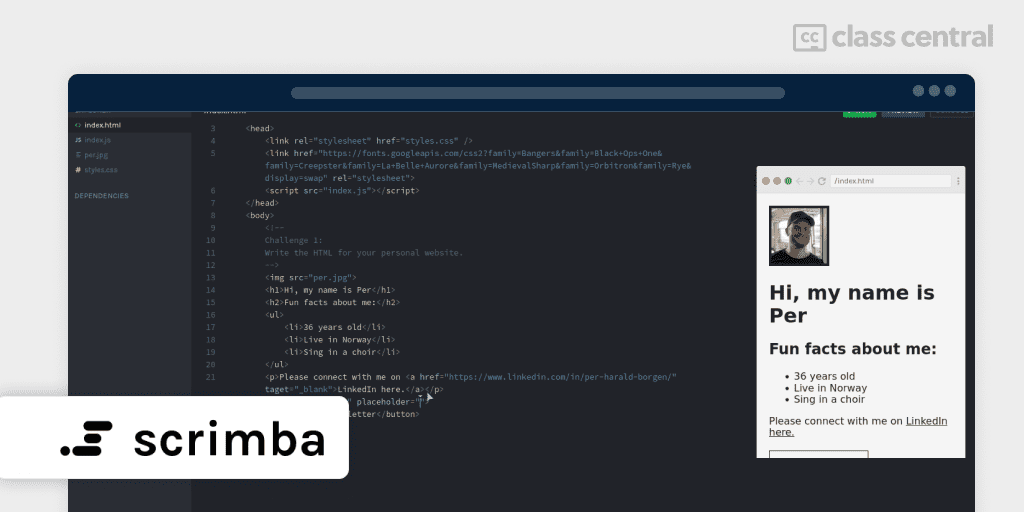
If you want to learn HTML/CSS and JavaScript by typing rather than watching, Scrimba is a great option. Their Learn HTML and CSS and Learn JavaScript courses offer concise, interactive lessons with practical examples, and both are free. Together they run about 15 hours: roughly 5 and a half hours on HTML and CSS across five projects and 75 coding challenges, then about 9 hours on JavaScript with 140 or so challenges.
As a beginner, I found it helpful to complete a few projects on freeCodeCamp before moving on to Scrimba to gain practical experience in creating websites.
In this course, you’ll learn the fundamentals of HTML/CSS and JavaScript, with practical examples and the ability to push your work to GitHub and deploy it.
Scrimba’s interactive platform allows you to understand the requirements and code them yourself, with instructors helping you understand the code while they write and explain it.
Most of the rest of Scrimba’s catalog now sits behind a subscription, including the short CSS Grid and Flexbox tutorials, which used to be free. If you decide to pay, the ones I’d point to are the Frontend Developer Career Path at 82 hours, the 14-hour JavaScript Deep Dive, and the 15-hour Responsive Web Design course.
| Provider | Scrimba |
| Instructor | Per Harald Borgen |
| Level | Beginner |
| Workload | 15 hours (HTML/CSS & JavaScript combined) |
| Cost | Free (both courses) |
| Certificate | None |
Best First Step Into a Framework (Scrimba)

Plain HTML, CSS, and JavaScript will take you a long way, but most front-end jobs expect a framework, and React is still the one you’ll meet first. Learn React is the free continuation of the two Scrimba courses above, taught by Bob Ziroll on the same interactive platform.
It runs entirely in Scrimba’s browser editor, so there’s nothing to install. The lessons are scrims you can pause and edit mid-explanation, which means you fix the instructor’s code rather than watch it. Across roughly 15 hours you work through more than 170 coding challenges and build six projects, including a Tenzies dice game and a word-guessing app.
The content sticks to modern React: components, JSX, props, state, events, and side effects with useEffect, including data fetching and controlled forms. No class components, which still clutter a lot of older React tutorials.
The prerequisite is real, though. This is a first React course, not a first coding course, so finish the HTML, CSS, and JavaScript material above before starting it. It also stops at the fundamentals: routing, app-wide state management, and the backend are all out of scope. For those, Full Stack JavaScript from The Odin Project carries React through to a working server and database.
| Provider | Scrimba |
| Instructor | Bob Ziroll |
| Level | Intermediate (assumes HTML, CSS, and JavaScript) |
| Workload | 15 hours |
| Rating | 5.0/5.0, from only 4 ratings on Class Central |
| Cost | Free |
| Certificate | None |
Best Text-Based Reference Path (Mozilla)
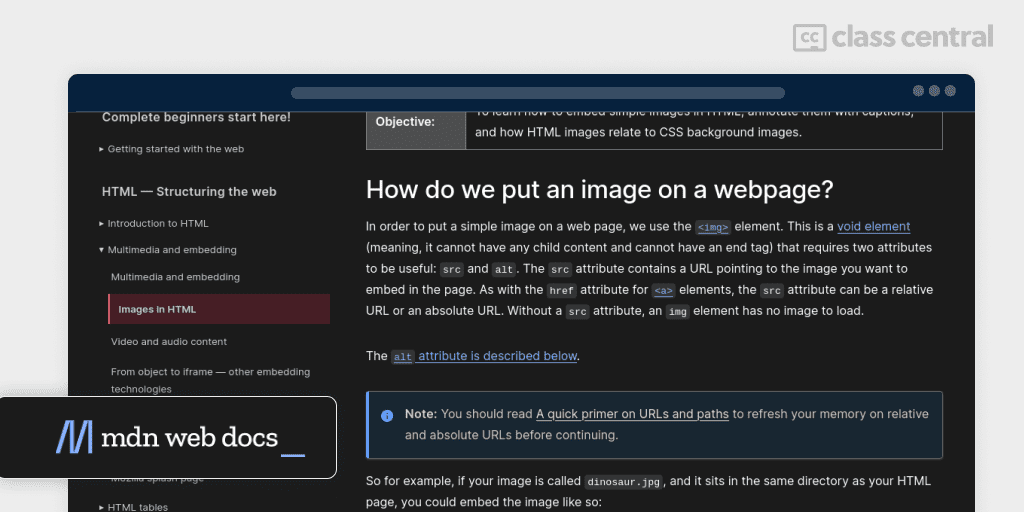
Who better to teach web development than the people who document the platform? If videos move too slowly for you and you would rather read, skim, and jump back, Mozilla’s material is the best free text-based option there is.
Mozilla reorganised this in 2025. What used to be the Front-end Web Developer pathway is now Learn web development, split into three tiers: Getting started for people who have not installed an editor yet, Core for the essentials, and Extensions for specialisms. The Core modules cover structuring content with HTML, CSS styling and layout, dynamic scripting with JavaScript, JavaScript frameworks, accessibility, design for developers, and version control.
Each module includes challenges and assessments, so it is not purely passive reading. The tradeoff is scale: Class Central estimates 400 to 550 hours, and there is no certificate and no one checking your work. It doubles as the reference you will keep open in another tab for years, which is arguably its bigger value.
If that is more structure than you want right now, the Frontend Web Development Bootcamp above covers the same three languages in 21 hours.
| Website | Mozilla (MDN) |
| Level | Beginner to Intermediate |
| Workload | 400–550 hours |
| Cost | Free |
| Certificate | None |
Best Full-stack Learning Path (The Odin Project)
The Odin Project offers two options for learning web development: you can begin with the Foundations: Web Development course, which includes small exercises and projects covering HTML, CSS, and JavaScript, or you can take the entire course and become a full-stack developer. After completing the Foundations course, you can move on to the Full-Stack JavaScript course. If you prefer to learn a different programming language, The Odin Project also offers a full-stack course with Ruby on Rails.
The Odin Project relies heavily on MDN Documentation and requires knowledge of Github to push your projects. The courses prepare you to work as a junior full-stack developer upon completion.
In this course, you’ll learn:
- Fundamentals of HTML/CSS and Javascript
- Intro to git and GitHub since projects require you to push your challenges after completion
- Move at your own pace and proceed to learn full-stack development with either Ruby or Javascript.
The Odin Project requires you to do a lot of reading and then complete small challenges once you are familiar with the concepts. You will also come across some YouTube videos and MDN Docs that you’ll have to watch or read to master certain concepts.
They have their own Discord Channel, where you could ask questions if you are stuck.
| Organization | The Odin Project |
| Level | Beginner |
| Workload | Not published by The Odin Project |
| Cost | Free |
| Certificate | None |
Best University-Taught Course (Johns Hopkins University)

HTML, CSS, and Javascript for Web Developers, taught by Yaakov Chaikin at Johns Hopkins University, is the only pick here that comes with a university’s name on it. It spends its time on the “why” behind each concept rather than the syntax alone, which is why it still reads well to people who already know some of the material. By the end you will have built a responsive site for a real Baltimore business.
One thing has changed since I first wrote this up: it is no longer free to audit. Coursera has closed off audit access, so this one is paid.
What you’ll learn:
- Creating modern web pages with HTML, CSS, and Bootstrap framework
- Making responsive designs that adapt to different screen sizes
- Building a fully functional web application using JavaScript and Ajax
- Practical application through a project for a local business in Baltimore.
Note that this is an old course, but the fundamentals are solid, and that matters most. It uses an older version of Bootstrap (Bootstrap 3), but if you understand version 3, you can easily work with the latest version. The principles behind web development remain largely the same.
Additional Information
It is one of Class Central’s Most Popular Online Courses of All Time, with more than 1.2 million enrollments and a 4.7 average from over 17,000 ratings on Coursera. It was originally part of a Ruby on Rails specialization that Coursera has since retired, but the course itself is standalone and unaffected.
| Institution | Johns Hopkins University |
| Provider | Coursera |
| Instructor | Yaakov Chaikin |
| Level | Beginner |
| Workload | 8 hours |
| Rating | 4.7/5.0 (17,162 ratings on Coursera) |
| Exercises | Practice exercises, graded quizzes, and peer-graded assignments |
| Enrollments | 1.2M |
| Cost | Paid |
| Certificate | Included with course |
Honorable Mentions
You should definitely check out Kevin Powell’s course on responsive layouts. I’d also like to recommend Colt Steele’s course, which covers the basics over several videos, and Coder Coder, which offers helpful resources for learning HTML/CSS and Javascript through projects.
What’s Next
Once you’ve completed these courses and have a good understanding of the concepts, it’s essential to put them into practice. Practicing on any website can be helpful for improving your HTML/CSS and Javascript skills.
For example, I’ve tried recreating parts of a website like stripe.com without looking at their code or console can be an excellent exercise. There are also many other websites where you can practice, such as Frontend Mentor Challenges, Befront, Codepen Challenges, CSS Battle, and moderncss.dev.
If you want more course structure after this guide, the free Full Stack Open from the University of Helsinki is the natural step up. It carries React through Node, Express, MongoDB, GraphQL, and TypeScript, gives a free certificate for each part you finish, and the team updates it continuously rather than publishing yearly editions. It expects you to be able to program already, so save it until the material above is comfortable.
For frameworks specifically, we have separate guides to the best React courses and the best JavaScript courses.
How We Made Our Picks and Tested Them
Trying to find “the best” can be daunting, even for those of us who live and breathe online courses. Here’s how I approached this task.
First, I combed through Class Central’s Catalog and the internet to find a variety of free and paid open courses, some with certificates. You don’t need to enroll in a university to learn about Web Development.
When choosing courses, I considered the following factors:
- Renowned Institutions: I looked for recognized institutions in Web Development
- Instructor experience: I sought instructors with extensive experience in Web Development and engaging presentation styles
- Popularity: I checked numbers of enrollments and views to find popular courses
- Course content: I examined courses that covered a range of topics and presentation styles, including the basics and more advanced topics. I watched some course videos to sample courses I hadn’t already taken
- Learner reviews: I read learner reviews (when available) to get a sense of the quality of each course, leveraging the Class Central database with its thousands of course ratings and reviews written by our users as well as available course provider reviews.
Then, I defined the scope for these recommendations. A Web Development course can cover various topics, so I chose top courses from a range of sub-fields.
Ultimately, I used a combination of data and my own judgment to make these picks. I’m confident these recommendations will be a reliable way to learn about Web Development.
Fabio revised the research and the latest version of this article.
The post 8 Best Web Development Courses for 2026 (Free & Paid): Over 900 Hours of Learning appeared first on The Report by Class Central.