
Getting paid as a freelancer sounds simple. You do the work. The client pays you. Done.
But anyone who’s been freelancing for more than five minutes knows it’s rarely that clean. You send an invoice. The client says they’ll “look into it.” Two weeks pass. You follow up—awkwardly—and eventually, someone moves money from their account to yours, probably through some clunky process that costs one of you a fee you didn’t expect.
The right payment app changes all of that.
The wrong one? It quietly costs you hundreds of dollars a year in fees, makes you look unprofessional, or causes you to lose international clients who can’t figure out how to pay you.
I’ve spent years working with and learning from thousands of freelancers, and the question of which payment tools actually work comes up constantly. So here’s my honest breakdown of the 10 best payment apps for freelancers in 2026—what they’re good at, where they fall short, and who they’re really built for.
Let’s get into it.
What to Look for in a Freelancer Payment App
Before we get into the list, it’s worth clarifying what makes a payment app worth your time as a freelancer. Because not every platform is built with freelancers in mind—and some that are widely popular are actually kind of terrible for us specifically.
Here’s what actually matters:
Low fees (especially on international transfers)
Fees are the silent killer of freelance income. A platform that charges 3–5% per transaction might not seem like much until you add it up over a year of invoicing. If you work with clients in other countries, currency conversion fees can be even more brutal. Always know what you’re actually taking home before you commit to a platform.
Professional invoicing tools
Your payment app should make you look like a legitimate business—not someone sending a Venmo request with a heart emoji. Invoices that include your logo, a clear breakdown of services, payment due dates, and automatic reminders go a long way in getting paid faster and looking more credible to clients.
Client-side simplicity
The best payment app in the world does nothing if your clients can’t figure out how to use it. You want platforms that your clients already know, trust, or can navigate without sending you a confused email. Friction kills payments.
Cash flow management
As you scale, you’ll want more than just a way to accept money. You’ll want to track what’s owed, what’s been paid, what’s overdue, and how your income looks over time. The best platforms give you visibility into your business finances, not just individual transactions.
Speed of transfer
Some apps hold your money for days before it hits your bank account. That matters a lot when you’re freelancing full-time and managing your own cash flow without a corporate payroll department behind you.
With that in mind, here are the 10 best payment apps for freelancers in 2026.
The 10 Best Payment Apps for Freelancers in 2026

#1 — Melio
If you’re running your freelance business like a real business—and you should be—Melio deserves the top spot on this list.
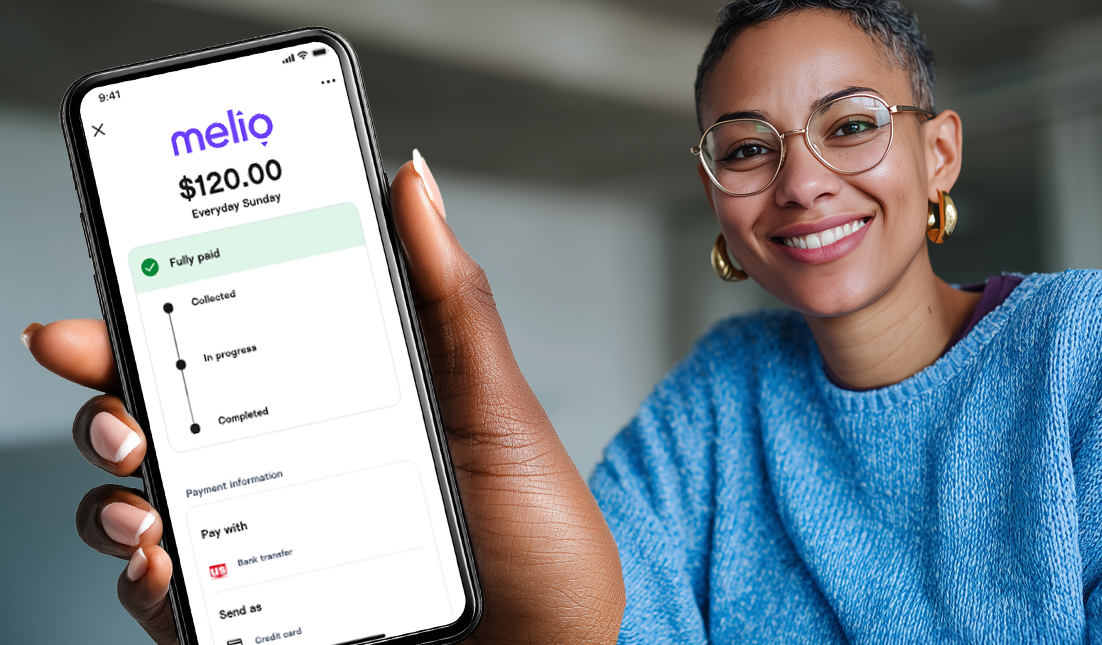
Melio has grown quickly among freelancers and small business owners because it doesn’t just handle payments—it helps you manage the financial side of your entire operation. You can send professional invoices, accept payments from clients, pay your own vendors and contractors, and get a real-time view of your cash flow, all from one dashboard.
That last piece matters more than most freelancers realize. The feast-famine cycle that plagues so many freelancers isn’t just about finding enough clients—it’s about managing the money that comes in and out in unpredictable waves. Melio’s cash flow tools give you a clearer picture of where you stand, not just where you were last week.
Melio supports both ACH bank transfers (free) and credit card payments, and it integrates cleanly with QuickBooks if you’re tracking your finances there. For freelancers who have moved past the side-hustle phase and are running a real independent business, Melio is the most complete tool on this list.
Best for: Freelancers operating as a business who want invoicing, payments, and cash flow management in one place.
Fees: Free for ACH transfers; fees apply for credit card payments and expedited transfers.

#2 — Stripe
Among professional freelancers—designers, developers, consultants, copywriters—Stripe has become the gold standard for getting paid online. And for good reason.
Stripe’s invoicing is clean and professional. You can create and send invoices in minutes, accept credit and debit cards from clients worldwide, set up recurring payments for retainer clients, and even create shareable payment links that make it ridiculously easy for clients to pay you without any back-and-forth. If you have a website, Stripe integrates with virtually everything.
The fees (typically around 2.9% + $0.30 per transaction) are in line with industry standards, though they do add up if you’re doing high-volume billing. That said, the professionalism and reliability Stripe brings to your business is hard to put a price on when you’re competing for high-value clients.
One thing Stripe doesn’t do as well as some competitors: international currency conversion. If you regularly invoice clients in other currencies, you’ll want to pair Stripe with something like Wise to keep your costs down.

Best for: Professional freelancers who want polished invoicing, subscription billing, and seamless online payment experiences.
Fees: 2.9% + $0.30 per successful card transaction; additional fees for international cards.

#3 — Wise
If you have any international clients at all, Wise should be on your radar—full stop.
The biggest hidden cost of working with overseas clients isn’t the time zone difference or the communication lag. It’s the fees. Traditional bank wire transfers and PayPal’s currency conversion rates can take a painful chunk out of your invoices. Wise is specifically built to solve that problem.
Wise uses the real mid-market exchange rate (the rate you’d find on Google) with a small, transparent fee on top of it. Compare that to PayPal’s sometimes-inflated conversion rates or your bank’s international wire fees, and the savings are real. Some freelancers report saving hundreds of dollars per year just by switching international payments to Wise.

You can also open a Wise account with local bank details in multiple currencies—useful if you regularly bill clients in USD, GBP, EUR, or other currencies and want to hold those funds without converting them immediately.
Wise isn’t necessarily the best standalone solution if all your clients are domestic. But as a complement to Stripe or Melio for international invoicing, it’s a no-brainer.
Best for: Freelancers with international clients who want to minimize currency conversion fees.
Fees: Small percentage fee on transfers, varies by currency; generally far lower than PayPal or bank transfers.

#4 — PayPal
PayPal has been around so long that it’s practically freelancing infrastructure at this point. Almost every client—domestic or international—has a PayPal account or knows how to use one. That familiarity is genuinely valuable, especially when you’re working with smaller businesses or individual clients who aren’t set up for wire transfers or sophisticated invoicing systems.
The platform offers invoicing, the ability to accept credit cards without a merchant account, and instant transfers to your PayPal balance. For global payments, it’s one of the most widely accepted platforms on earth.
Here’s the honest downside, though: the fees are high. Between transaction fees, currency conversion markups, and the cost of getting your money into your actual bank account quickly, PayPal takes a bigger cut of your income than almost any platform on this list. A lot of experienced freelancers keep PayPal as a backup option—because clients ask for it—while routing their primary invoicing through Stripe or Melio.
That’s not a bad strategy. Having PayPal in your toolkit is nearly non-negotiable for reach and familiarity. Just don’t rely on it as your only option.
Best for: Universal client acceptance; a familiar, trusted option for clients who aren’t comfortable with newer platforms.
Fees: 3.49% + fixed fee for invoiced payments; additional fees for international transfers and currency conversion.

#5 — Payoneer
If you do a significant portion of your freelance work through marketplaces like Upwork, Fiverr, Toptal, or Amazon, Payoneer is probably already on your radar—and if it isn’t, it should be.
Payoneer was built specifically for the kind of global payment complexity that freelancers on large platforms deal with: getting paid in multiple currencies, receiving payouts from marketplace platforms, withdrawing funds to local banks in different countries. It handles all of that reliably and with lower fees than most alternatives for marketplace-specific payouts.
Outside the marketplace world, Payoneer is less exciting. Its invoicing tools are functional but not particularly polished, and it’s not the best fit for freelancers billing corporate clients directly. But for marketplace-heavy freelancers—especially those working internationally—it’s one of the most practical tools available.
Best for: Freelancers earning through Upwork, Fiverr, and other global marketplaces; international payouts.
Fees: Varies by transaction type; generally competitive for marketplace withdrawals and international transfers.

#6 — Square
Square is best known for the little card reader you see at coffee shops and farmer’s markets. But its usefulness for freelancers goes beyond in-person sales—though that is, admittedly, where it really shines.
Photographers, event planners, coaches, consultants, designers, and other freelancers who sometimes meet clients face-to-face love Square because it lets them accept card payments in person just as easily as online. You can send invoices, create payment links, set up a simple online store for digital products or service packages, and track everything from one clean dashboard.
Square’s invoicing is solid and easy to use, and the free tier covers a lot of what most freelancers need. Transaction fees are comparable to Stripe—around 2.6–2.9% depending on how you take payment.
If 100% of your work is remote and digital, Square might not be your first pick. But for freelancers who have any in-person component to their work, it fills a gap that most other platforms on this list simply don’t address.
Best for: Freelancers who take payments in person, at events, or on-site with clients; photographers, coaches, and consultants especially.
Fees: 2.6% + $0.10 for in-person; 2.9% + $0.30 for invoices.

#7 — Zelle
Here’s the thing about Zelle that makes freelancers love it: it’s completely free. No fees. No percentage taken. No per-transaction charges. You send an invoice, the client pays you through their bank app, and the money lands in your account—often within minutes.
For U.S.-based freelancers working with repeat clients they already trust, Zelle is a genuinely excellent option. It’s built into the mobile banking apps of most major U.S. banks, which means most of your domestic clients already have access to it without signing up for anything new.
The limitations are real, though. Zelle only works for U.S. bank-to-bank transfers, so it’s a non-starter for international clients. It also doesn’t offer professional invoicing—you’re essentially just sending a payment request, not a formal invoice with line items and due dates. And while it’s great for established relationships, it can feel too casual for new or higher-stakes client engagements.
Use Zelle as a convenient option for clients you already have a solid relationship with. Don’t lean on it when you’re trying to make a polished first impression.
Best for: U.S.-based freelancers with established clients who want zero-fee transfers.
Fees: None for standard transfers.

#8 — Venmo Business
Venmo Business occupies a specific niche: freelancers whose clients are everyday consumers rather than other businesses or companies.
If you’re doing photography for families, coaching individuals, building websites for people’s personal projects, or doing any other work where the person paying you is a regular human being using their personal phone—Venmo Business makes a lot of sense. It’s familiar, easy to use, and your clients probably already have the app on their phone for personal use.
That said, Venmo Business doesn’t project the same level of professionalism as Stripe or Melio. It works, but if you’re trying to position yourself as a serious, established freelancer charging serious rates, leading with “you can pay me on Venmo” might undercut your brand. Use it strategically, not as your primary or only payment method.
Best for: Freelancers serving individual consumers rather than businesses; lower-ticket, informal projects.
Fees: 1.9% + $0.10 per transaction for business profiles.

#9 — Revolut Business
For freelancers who regularly operate across multiple currencies and countries—think: you have a client in the UK, a client in Australia, and a client in Canada, and you’re actively managing funds in multiple currencies—Revolut Business is worth a serious look.
Revolut lets you hold, exchange, and transfer money in 30+ currencies with competitive rates. Its business accounts come with international transfers, expense management, and integrations with accounting tools. For high-volume international freelancers who want one account to manage everything across borders, it checks a lot of boxes.
If you’re mostly doing domestic work or only occasionally billing internationally, Revolut is probably more platform than you need. But for the truly location-independent, multi-currency freelancer, it’s one of the most capable options out there.
Best for: Location-independent freelancers who regularly work across multiple currencies and countries.
Fees: Varies by plan and transaction type; competitive for multi-currency use.

#10 — Cash App Business
Cash App Business rounds out this list as a simple, no-frills option for domestic freelancers doing relatively straightforward consumer-facing work.
Like Venmo Business, Cash App is most useful when your clients are individuals who already have the app on their phones and prefer a casual payment experience. Transfers are fast, the interface is clean, and setup takes minutes. For small projects, quick jobs, or freelancers just getting started, it lowers the barrier to getting paid.
The trade-offs: limited invoicing capability, a 2.75% fee on business transactions, and a less professional image than platforms like Stripe or Melio. Cash App Business can work as a convenient option in specific situations, but it shouldn’t anchor your payment stack if you’re running a serious freelance business.
Best for: Simple domestic payments; consumer-facing freelancers with informal client relationships.
Fees: 2.75% per business transaction.
Which Payment App Is Best for You?
The honest answer: most successful freelancers use more than one of these.
Your primary invoicing platform might be Melio or Stripe. You might keep PayPal around because certain clients insist on it. If you have international clients, Wise is probably in the mix. And if you have stateside regulars who want to pay you the easy way, maybe Zelle handles those.
That said, if you forced me to build a starting stack from scratch for a freelancer in 2026, it would look like this:
For professional freelancers running a business: Start with Melio for invoicing, payments, and cash flow management. Add Wise for any international clients. Keep PayPal as a backup for clients who ask for it.
For developers and tech-savvy freelancers: Stripe as the primary platform, Wise for international work, and Zelle for domestic regulars who want the zero-fee option.
For marketplace freelancers (Upwork, Fiverr, etc.): Payoneer for marketplace payouts, Wise for any direct client work internationally, and Stripe or Melio if you start taking direct clients outside the marketplace.
For freelancers who meet clients in person: Square as your primary platform—it handles both in-person and online payments, plus solid invoicing.
A Note on Fees (Because They Add Up)
I want to flag something that a lot of freelancers overlook when they’re first setting up their payment tools: transaction fees aren’t just a cost of doing business. They’re a tax on your income that you have some control over.
Let’s say you invoice $60,000 in a year—a realistic number for a mid-level freelancer. At a 3% transaction fee across the board, you’re paying $1,800 a year in platform fees. That’s real money.
Now, some of those fees are unavoidable—if a client wants to pay by credit card, someone is paying the processing fee. But choosing platforms with lower base fees, using ACH transfers when possible (Melio offers these for free), and routing international payments through Wise instead of PayPal can meaningfully reduce what you’re losing to fees each year.
It’s not about being cheap. It’s about making sure the money you earn actually ends up in your bank account.
Final Thoughts
There’s no single perfect payment app for freelancers in 2026—but there are clearly better and worse options depending on where you are in your freelancing journey and the kinds of clients you serve.
What I’d encourage you to do is take a hard look at what you’re currently using and ask yourself: Is this actually working for me? Is it costing me money I don’t have to spend? Is it making me look as professional as I am?
Getting paid well—and getting paid on time—isn’t just about the quality of your work. It’s about the systems you have in place. The right payment app is one of the most important pieces of that system.
Start with one or two of the platforms on this list, get your invoicing dialed in, and build from there. You’ve got this.
Keep the conversation going…
Over 10,000 of us are having daily conversations over in our free Facebook group and we’d love to see you there. Join us!